Windows 11 search gets quick actions and a smarter Copilot
Hello Folks,
We at Daily Techocracy are back with some juicy info for all you kind readers....lets get to it !!
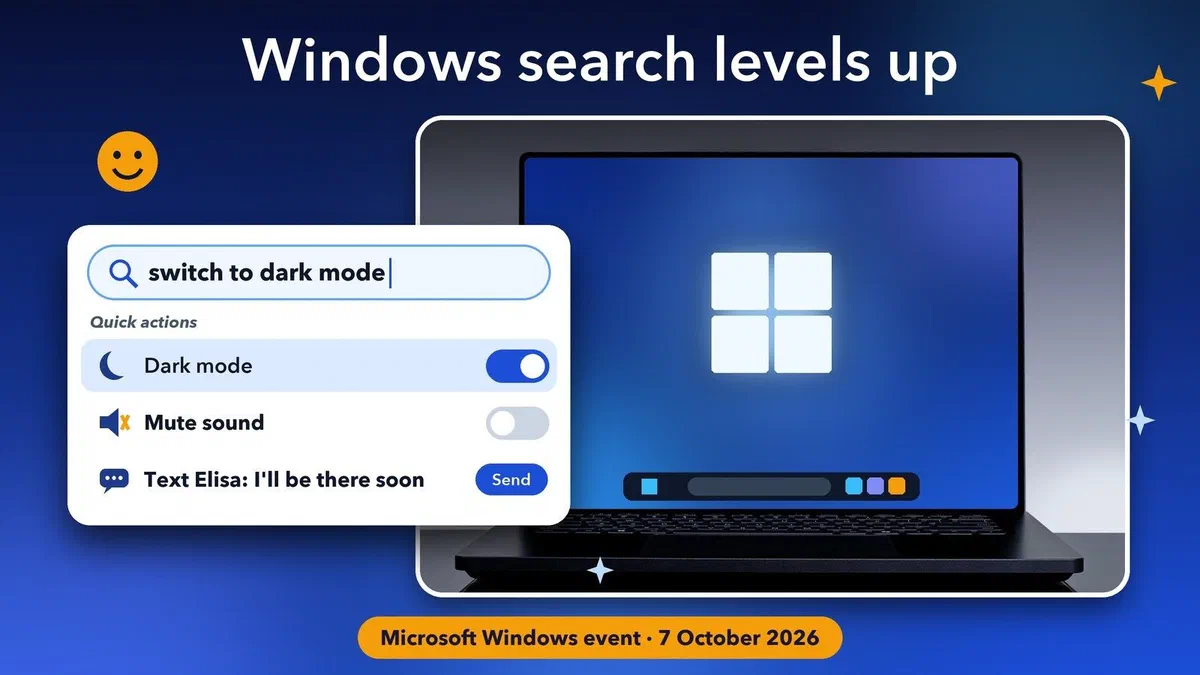
Microsoft held a Windows and Surface event in San Francisco on 7 October, and the biggest change for everyday users is a small one: the search box on your taskbar. Soon it won't just find files and apps. You'll be able to type "switch to dark mode" or "mute" and it will simply do it. Microsoft also showed a Copilot that can work with the files on your PC, and a new $2,599 Surface laptop. Here's what was announced, in plain words, and when you'll actually see it.
Quick answer: Windows 11 search is getting "quick actions", so you can change settings, tidy your windows or send a text by typing in the taskbar search box. Windows Insiders in the Experimental channel get it first, and Microsoft says it reaches Windows 11 PCs this fall. Copilot will also be able to use your files and on-device AI on Copilot+ PCs in the coming months, but only if you turn it on.
What are Windows 11 search quick actions?
Quick actions let you do simple jobs straight from the taskbar search box, without opening Settings or another app. You type what you want in normal words, and Windows does it. Microsoft says there will be "thousands" of these actions.
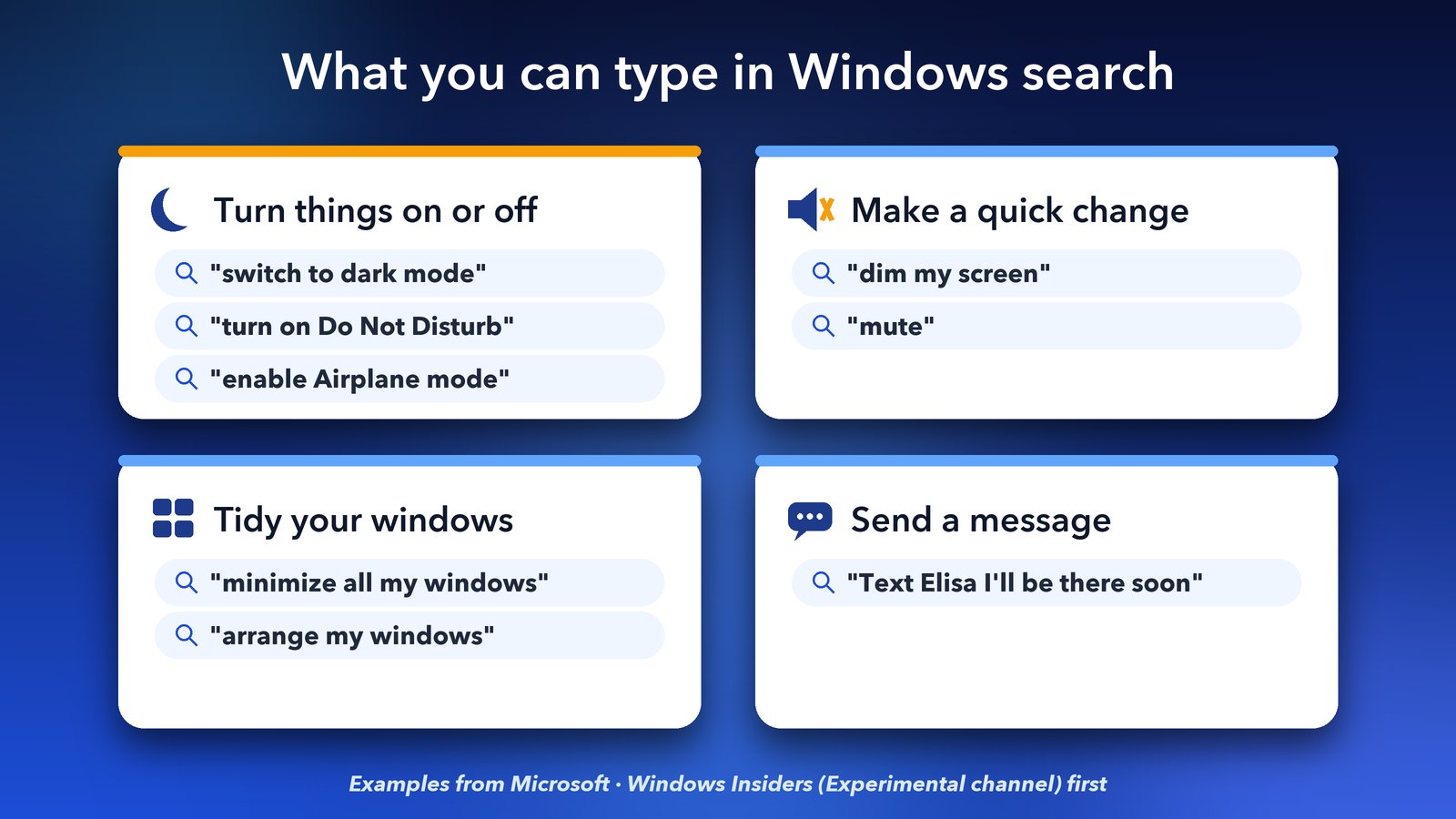
Microsoft's official Windows blog post groups them into four kinds:
- Turn things on or off: "switch to dark mode", "turn on Do Not Disturb" or "enable Airplane mode".
- Make a quick change: "dim my screen" or "mute".
- Tidy your workspace: "minimize all my windows" or "arrange my windows".
- Send a message: type something like "Text Elisa I'll be there soon".
I like this one a lot. Finding the dark mode switch in Windows 11 still takes several clicks. Typing one short line is much easier, especially if you're not a "settings person".
When will I get the new Windows search?
Windows Insiders in the Experimental channel started getting quick actions on 7 October. Microsoft says everyone on Windows 11 can use them starting this fall. It hasn't given an exact date, so expect it in a normal Windows update over the next few weeks or months.
Microsoft also says the new search finds apps, settings and files faster and shows less clutter. If you don't want Copilot in the search box, you don't have to have it. Adding the new Copilot to taskbar search is opt-in, and it will first reach select countries later this year. Back in August, Microsoft paused an earlier test of Copilot in the search box to rework it after feedback, so this is the second try.
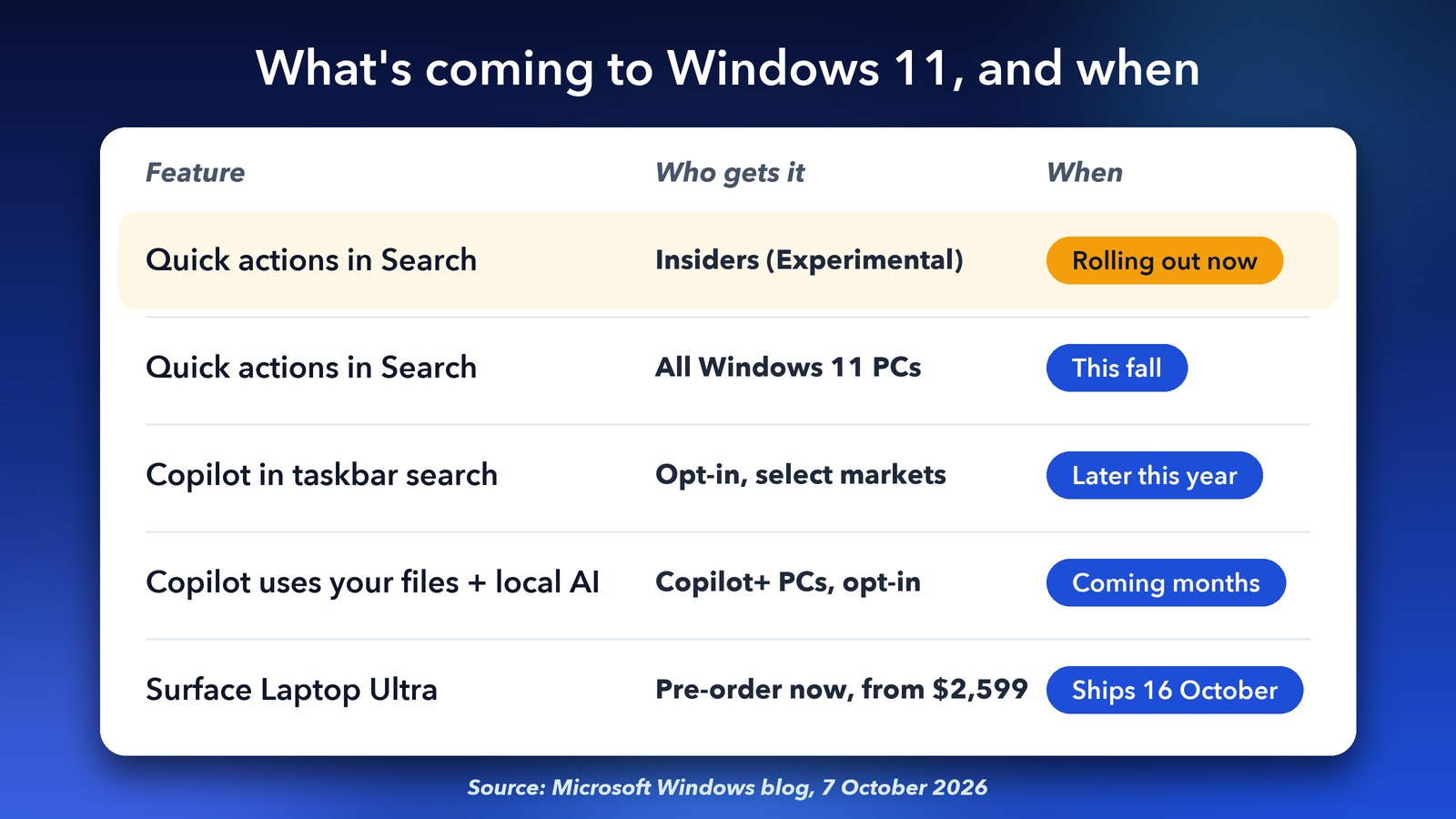
In short: quick actions are live for Insiders now and come to all Windows 11 PCs this fall. Copilot in taskbar search arrives later this year, and Copilot's file features land on Copilot+ PCs in the coming months.
What can the new Copilot do with my files?
On Copilot+ PCs, Copilot will be able to read the files on your computer, take actions in Windows for you and use AI models that run on the PC itself. Microsoft calls this "hybrid intelligence". It's opt-in, and Microsoft says Copilot only looks at your files with your permission.
Here's what the three parts mean:
- Local context: Copilot can understand what's on your PC, such as your files and what you worked on recently. So you could ask about "the budget sheet I opened yesterday" without uploading anything.
- Local actions: Copilot can do things across Windows for you. Reports from the event describe it finding a set of files, renaming them and zipping them up to send.
- Local models: Copilot can use AI models that run on your own PC instead of in the cloud. Copilot mixes these with cloud AI when a job needs more power.
A Copilot+ PC is a Windows laptop or desktop with a built-in AI chip, called an NPU (neural processing unit). If your PC is older, you'll still get the new search, but not these Copilot features. Microsoft says they arrive "in the coming months" through Windows Update.
My take: letting an AI read your files is a big step, so it's good that it's off until you switch it on. Try it on something boring first, like a folder of receipts, before you trust it with anything private. If you like the idea of AI that runs on your own computer, our post on running local AI models faster with Ollama shows how that works on a Mac.
What else did Microsoft announce?
The other big news was new hardware built with Nvidia, plus new safety tools for AI agents. An AI agent is a program that can carry out tasks on your PC by itself, not just answer questions.
Surface Laptop Ultra
The Surface Laptop Ultra is Microsoft's most powerful laptop so far. It starts at $2,599, pre-orders are open now, and it goes on sale on 16 October in Platinum and Nightfall colours. It uses Nvidia's new RTX Spark chip, has up to 128 GB of memory and a 15-inch touchscreen that gets as bright as 2,000 nits.
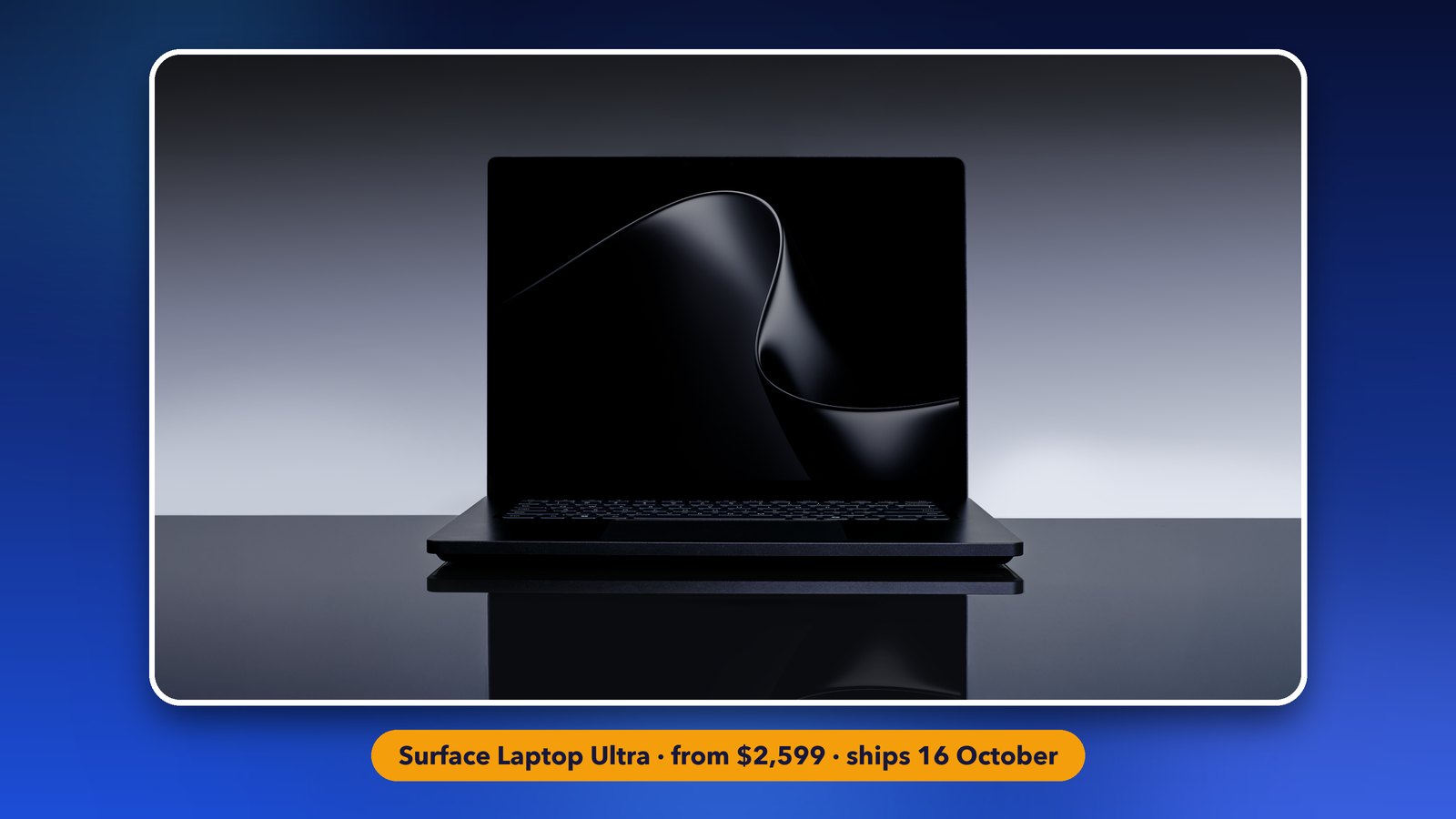
It weighs under 4.5 pounds (about 2 kg) and is less than 18 mm thick. It keeps a USB-A port, HDMI, an SD card reader and a headphone jack. Microsoft claims it can run AI models with more than 120 billion parameters right on the laptop. In plain words, it can run very large AI models that normally need a powerful server. The full spec list is on Microsoft's Surface pre-order page.
ASUS, Dell, HP, Lenovo and MSI have their own RTX Spark PCs, which also ship from 16 October. For developers, there's a $5,999 Surface RTX Spark Dev Box mini PC that ships in the US in November.
Safer AI agents
Microsoft Execution Containers are now available on Windows 11. They keep AI agents in a locked box, so each agent can only reach the files and networks it has been allowed to use. OpenAI's Codex and GitHub Copilot already support it, and companies such as Anthropic and Perplexity have said they will too.
What it means for you
For most people, the new search box is the part you'll actually use every day, and it's coming to every Windows 11 PC for free. Watch for it in Windows Update this fall. The Copilot file features are only for Copilot+ PCs, and they stay off unless you choose them. That's the right call for something this personal.
The Surface Laptop Ultra is a high-end machine for people who build AI tools or edit big video projects. It isn't a laptop most of us need. If you're shopping for something simpler, our look at the new Googlebook laptops and their prices covers machines from $899.
Image credits: Surface Laptop Ultra photos: Microsoft (screen in the featured image illustrated by Daily Techocracy). Other graphics by Daily Techocracy.