Samsung October 2026 security update: what it fixes
Hello Folks,
We at Daily Techocracy are back with some juicy info for all you kind readers....lets get to it !!
Samsung has published the full details of its October 2026 security update. It's one of the bigger monthly patches this year, with nine critical Android bugs on the list. The update is already on the newest Galaxy phones, and more models will follow over the coming weeks. Here's what it fixes, who has it and how to get it on your phone.
Quick answer: The Samsung October 2026 security update fixes 76 security flaws: 45 from Google's Android bulletin, 27 found in Samsung's own software and 4 in Samsung chips. It's rolling out now to the Galaxy S26 series, S26 FE, Z Fold 8, Z Fold 8 Ultra and Z Flip 8. To install it, open Settings > Software update > Download and install.
What does the October 2026 update fix?
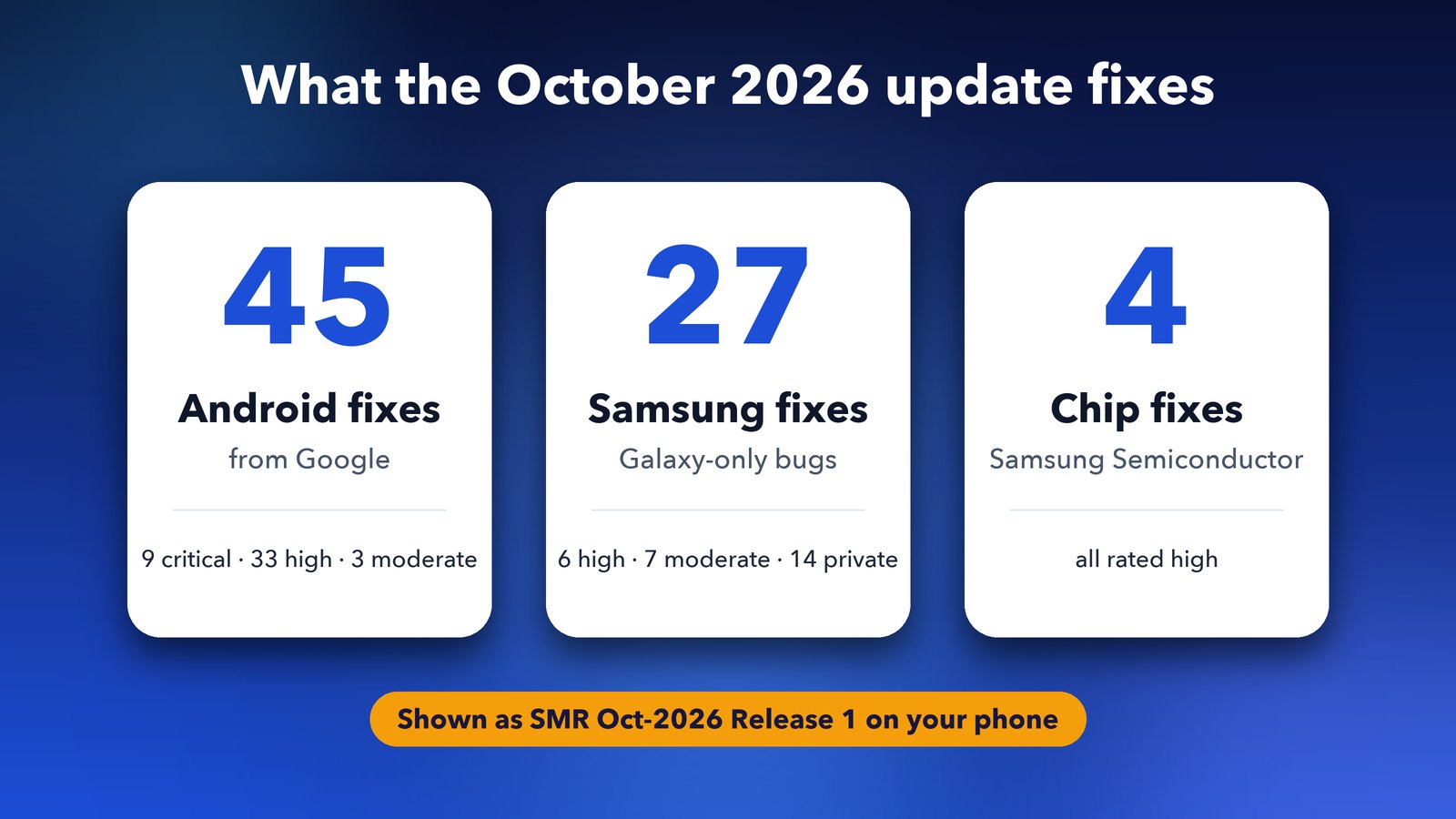
The October 2026 update closes 76 security holes in Galaxy phones and tablets. Google supplied 45 of the fixes, Samsung found 27 in its own apps and system code, and 4 come from Samsung's chip division. Samsung published the full list on its official security bulletin on 6 October.
Here's the breakdown in plain words:
- Google's Android fixes (45): 9 are rated critical, 33 high and 3 moderate. Google's Android Security Bulletin for October 2026 says the worst one lets an app gain more power over your phone than it should have. It doesn't need you to tap or open anything.
- Samsung's own fixes (27): 6 are rated high and 7 moderate. Samsung says it can't share details of the other 14 yet.
- Chip fixes (4): all four are rated high and come from Samsung Semiconductor, the part of Samsung that makes Exynos chips.
Some sites quote "up to 83 fixes". By our count of Samsung's own bulletin, 76 new fixes are listed for this month.
Which Samsung bugs are the most serious?
The six high-rated Samsung bugs are the ones to know about. Most of them sit in the code that handles videos, photos and text-to-speech. Five of the six could have let a harmful app run its own code on your phone.
- Video and photo files: three bugs were in the parts that read MKV videos and HEIF photos. A specially made file could have tricked these parts into running harmful code.
- The WSM service: a memory bug here could have let an attacker run code with system-level power.
- Samsung's text-to-speech engine: this had a similar memory bug that could have let harmful code run.
- Lock settings: an attacker who already had full (root) access could read work profile data before you first entered your PIN after a restart.
One of the photo bugs was reported by Google's Project Zero team, which hunts for serious flaws in popular software. Neither Google nor Samsung says any of them has been used in real attacks. Still, this kind of patch is the reason it's worth updating soon rather than waiting.
Which Galaxy phones are getting it first?
Samsung's newest flagships have it first. According to SammyFans, the October patch is already out for these phones:
| Phone | Status |
|---|---|
| Galaxy S26, S26+ and S26 Ultra | Rolling out, with One UI 9.0 |
| Galaxy S26 FE | Rolling out |
| Galaxy Z Fold 8 and Z Fold 8 Ultra | Rolling out |
| Galaxy Z Flip 8 | Rolling out |
The Galaxy S26 series got it first in Europe on 29 September. It has since reached India and Thailand, and other countries are next. Samsung releases each update in stages, so your phone may get it a few days or weeks after someone else's. Your country, model and carrier all affect the timing. Older Galaxy phones that get monthly or quarterly updates should follow over the coming weeks.
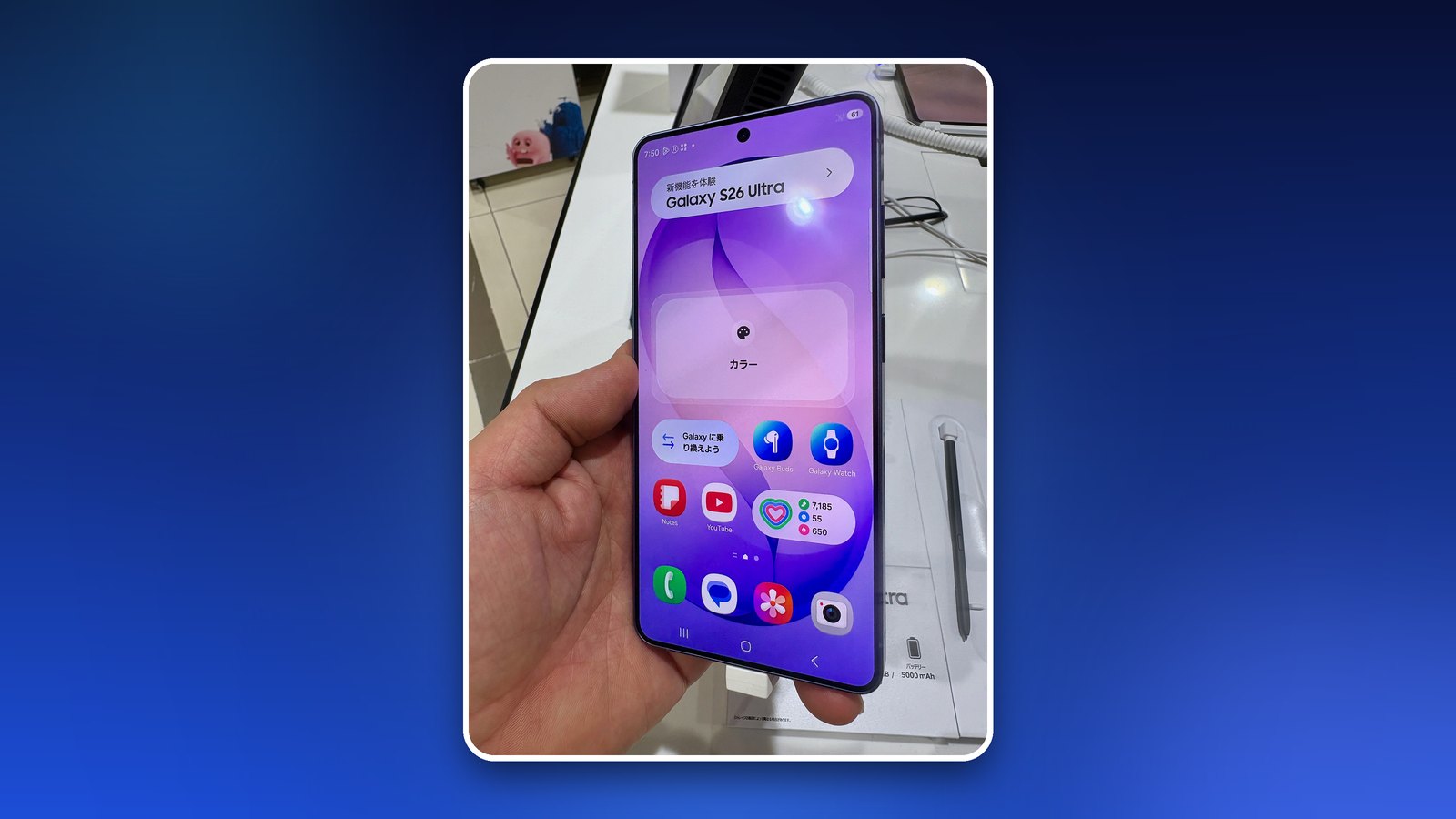
Galaxy S26 owners have one extra step. The October patch arrives right after the big One UI 9.0 upgrade based on Android 17. That upgrade is about 4 GB. Once your phone restarts, a second download of about 550 MB brings the October fixes. If you've been putting off One UI 9, you'll need it before this patch shows up.
How do I install the Samsung October 2026 update?
You can install it in a few taps from the Settings app. Connect to Wi-Fi and make sure your battery is above 20% first.
- Open Settings.
- Tap Software update.
- Tap Download and install.
- Wait for the download, then tap Install now. Your phone will restart.
If it says your software is up to date, the patch hasn't reached your phone yet. Check again in a day or two. I also turn on Auto download over Wi-Fi on the same screen, so the next one downloads by itself overnight.
How can I check if my phone already has it?
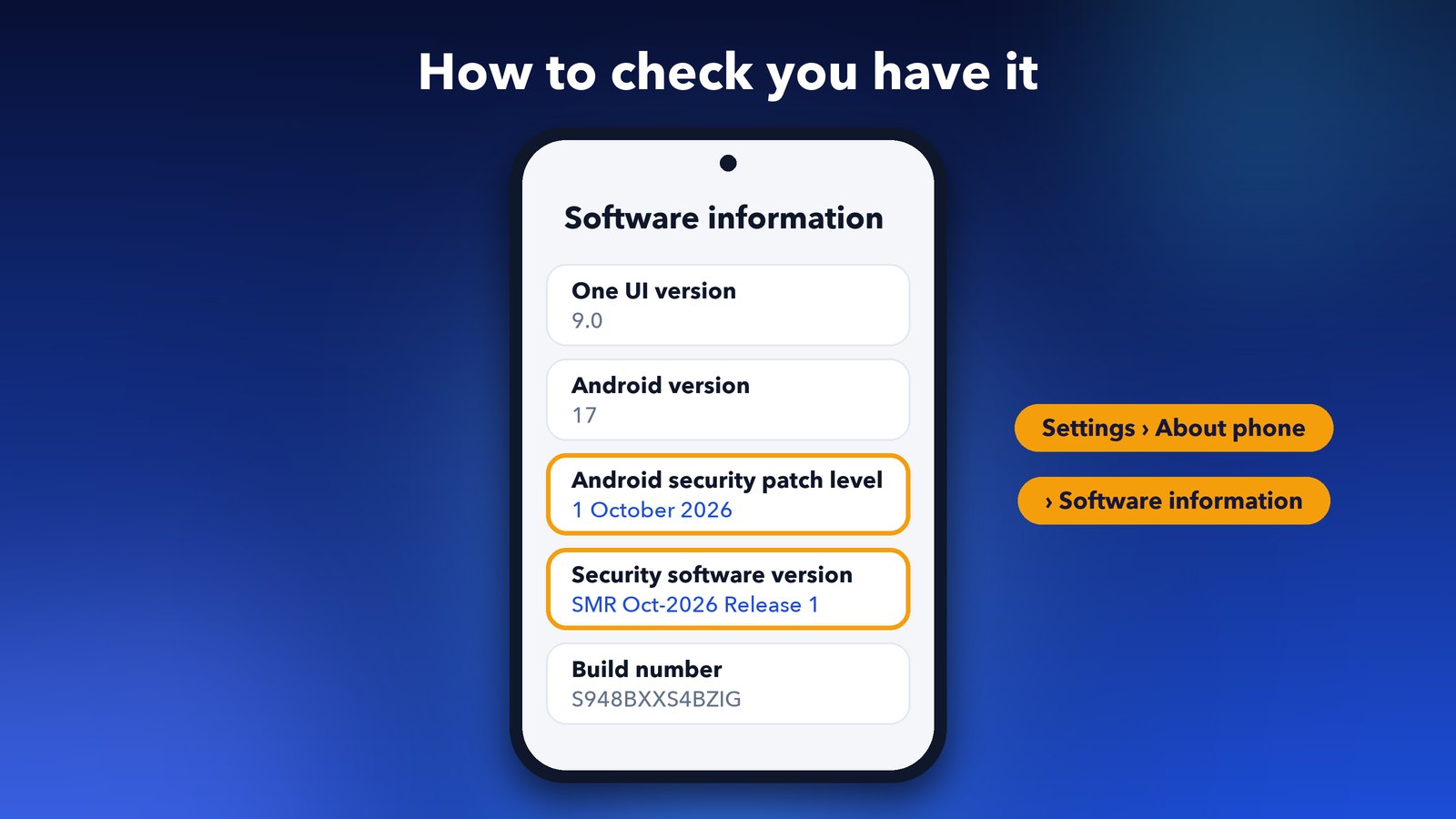
Go to Settings > About phone > Software information. Look for two lines there. "Android security patch level" should show 1 October 2026, and "Security software version" should include SMR Oct-2026 Release 1.
If you use a work profile, this update matters a little more because of the lock settings fix. If your work widgets have also been acting up since One UI 9, our guide on widgets disappearing from an Android 17 work profile can help.
What it means for you
For most people, this is a quiet update that you should still install soon. You won't see new features or a fresh look. What you get is a phone that's harder to attack through a dodgy video, photo or app. If you bought one of this year's foldables, such as the Galaxy Z Fold 8 Ultra, it should already be waiting in your Software update screen.
Older Galaxy phones will get it over the next few weeks. Google's next Android bulletin is due in early November, and Samsung's November patch should follow soon after. Install this one when it arrives, and you're set for the month.
Image credits: Galaxy S26 Ultra photos by Kyu3a, CC BY-SA 4.0, via Wikimedia Commons.