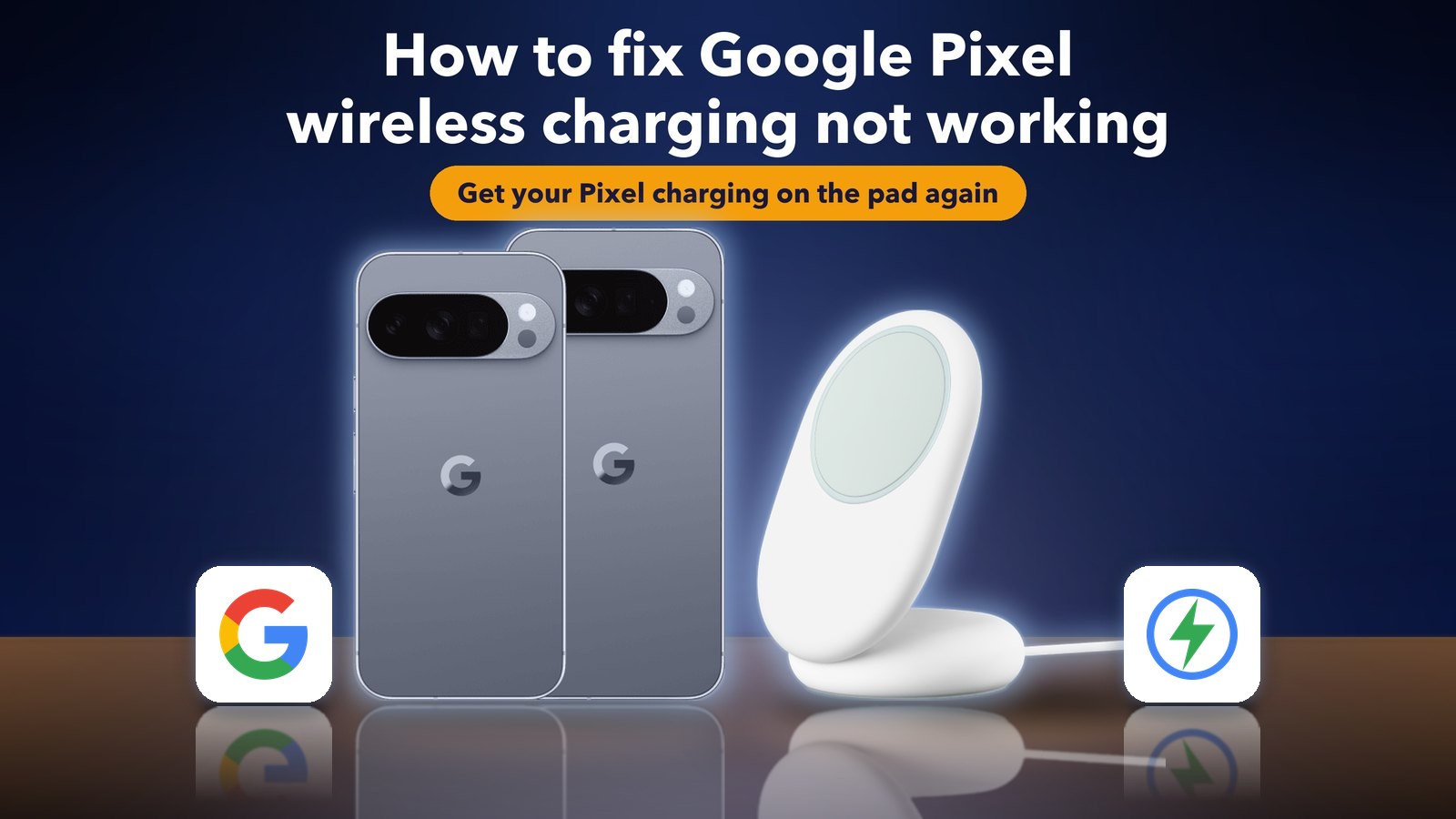
How to fix Google Pixel wireless charging not working
Hello Folks,
We at Daily Techocracy are back with some juicy info for all you kind readers....lets get to it !!
You put your Google Pixel on the wireless charger like every night. The charging icon shows up, but in the morning the battery is lower than when you went to bed. Or the charger's light stays off and the phone says "Connected, not charging". If this started after the November 2026 update, you're not the only one. Here's what's known so far and the fixes that are worth your time.
Quick answer: Take the case and any magnetic accessory off, centre the phone on the pad and let it cool down. Restart, then install any waiting updates in Settings > System > Software updates. Turn off charging optimization in Settings > Battery > Battery health, and test in safe mode. If it still won't charge, use a USB-C cable until Google sends a fix.
What is going wrong with Pixel wireless charging?
Since the November update, some Pixel owners say wireless charging starts and then quietly stops. The phone shows the charging animation, yet the battery percentage keeps falling. Others see "Connected, not charging", and the light on the charger stays off.
The first report came from a Pixel 10 Pro XL owner on the Google Pixel Help Community, and Android Authority picked it up on 12 November. Since then, people have described the same thing on the Pixel 10 Pro and the Pixel 11 Pro XL, with fewer reports from the Pixel 9 Pro Fold and older models. Several say their Qi2 chargers worked fine until the update. Germany's netzwelt adds one more symptom: the phone sits on the pad, stops charging, and gets very warm.
Two things are still unclear. Nobody knows how many phones are affected, and Google hasn't confirmed that the update is the cause.
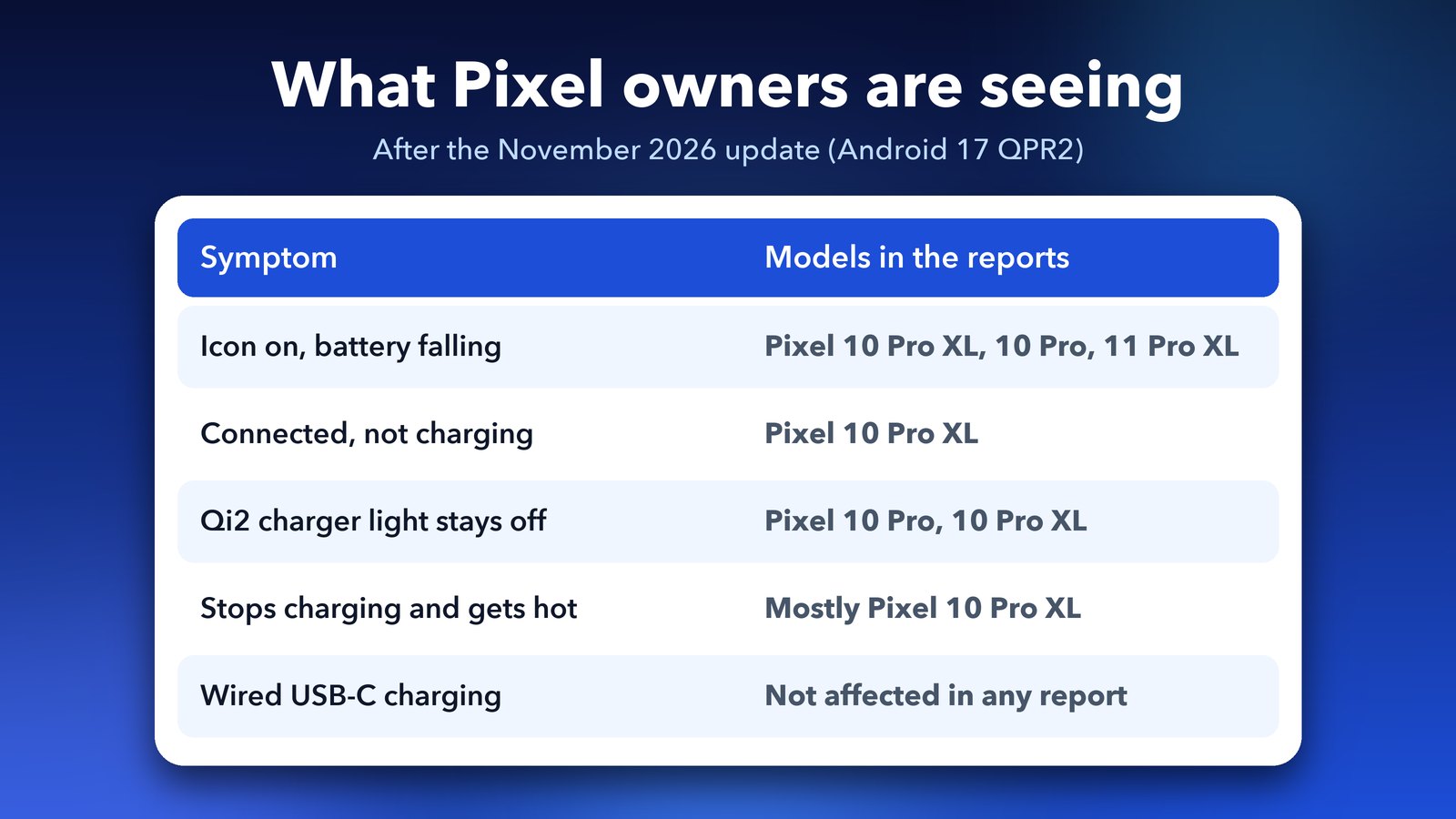
Which update is it, and what is QPR2?
The update is the November 2026 Pixel update. It started rolling out on 10 November with the November Pixel Drop, the 2026-11-05 security patch and Android 17 QPR2. QPR stands for Quarterly Platform Release. It's Google's name for the bigger feature updates that arrive between the main Android versions, and QPR2 is the second one for Android 17.
You can check if you have it in Settings > About phone > Android version. On most Pixels the build number is CP4A.261105.040.A1. On the Pixel 11 series it's CP4A.261105.040.D1. Having this build doesn't mean your phone has the bug. It only tells you the update is installed.
Has Google said anything?
Not yet. As of mid-November, Google hadn't made a public statement, and the November security bulletin doesn't mention charging. One user said Google Support blamed their case or charger, which they don't agree with.
There's one curious detail. Google's November changelog lists a fix for the charging indicator appearing when no charger is connected. Android Authority thinks it's unlikely to be related, but it shows Google did change charging code in this update.
Step 1: Check if it's really charging
The charging icon alone doesn't prove anything, so test it properly. Put the phone on the pad, wait one minute, then open Settings > Battery. Note the percentage, wait 10 minutes and check again. If the number went up, the phone is charging slowly. If it dropped, wireless charging has really stopped.
A slow charge above 80% overnight is normal on a Pixel, by the way. That's charging optimization doing its job, which we cover in Step 4.
Step 2: Take off the case, cool down and re-centre
Google's own help page starts here, and it's worth doing even if the bug is real. Wireless charging is fussy about heat and position.
- Remove the case, and any metal or magnetic accessory on the back, such as a ring holder, a PopSocket or a MagSafe wallet.
- If the phone feels warm, leave it off the charger for 10 to 15 minutes in a cool spot.
- Place it back in the centre of the pad. On a stand, slide it up or down until the charging animation appears.
- Keep the screen off while it charges.
Car chargers are the worst for this. Google notes the coils often don't line up in vertical car mounts, so try a flat pad at home before you blame the phone.
Step 3: Restart and install every waiting update
Hold the Power button and Volume up together, then tap Restart. Once the phone is back on, open Settings > System > Software updates. Install anything waiting there, then tap Google Play system update and install that too. Small follow-up fixes often arrive this way before a big monthly update.
If your Pixel hasn't installed the November update yet, you can wait. Netzwelt advises not to tap Check for update by hand for now if you rely on wireless charging every night.
Step 4: Turn off charging optimization
Charging optimization slows or pauses charging to protect the battery. It can hold the phone at 80%, which looks a lot like charging has stopped. Turning it off for a few nights rules it out.
- Open Settings > Battery > Battery health.
- Tap Charging optimization.
- Turn off Use charging optimization.
On some older builds, the option sits straight under Settings > Battery > Charging optimization, with a choice of Adaptive Charging or Limit to 80%. While you're in Battery health, check that the battery status looks normal. If it says the battery needs service, that's a separate problem from this bug.
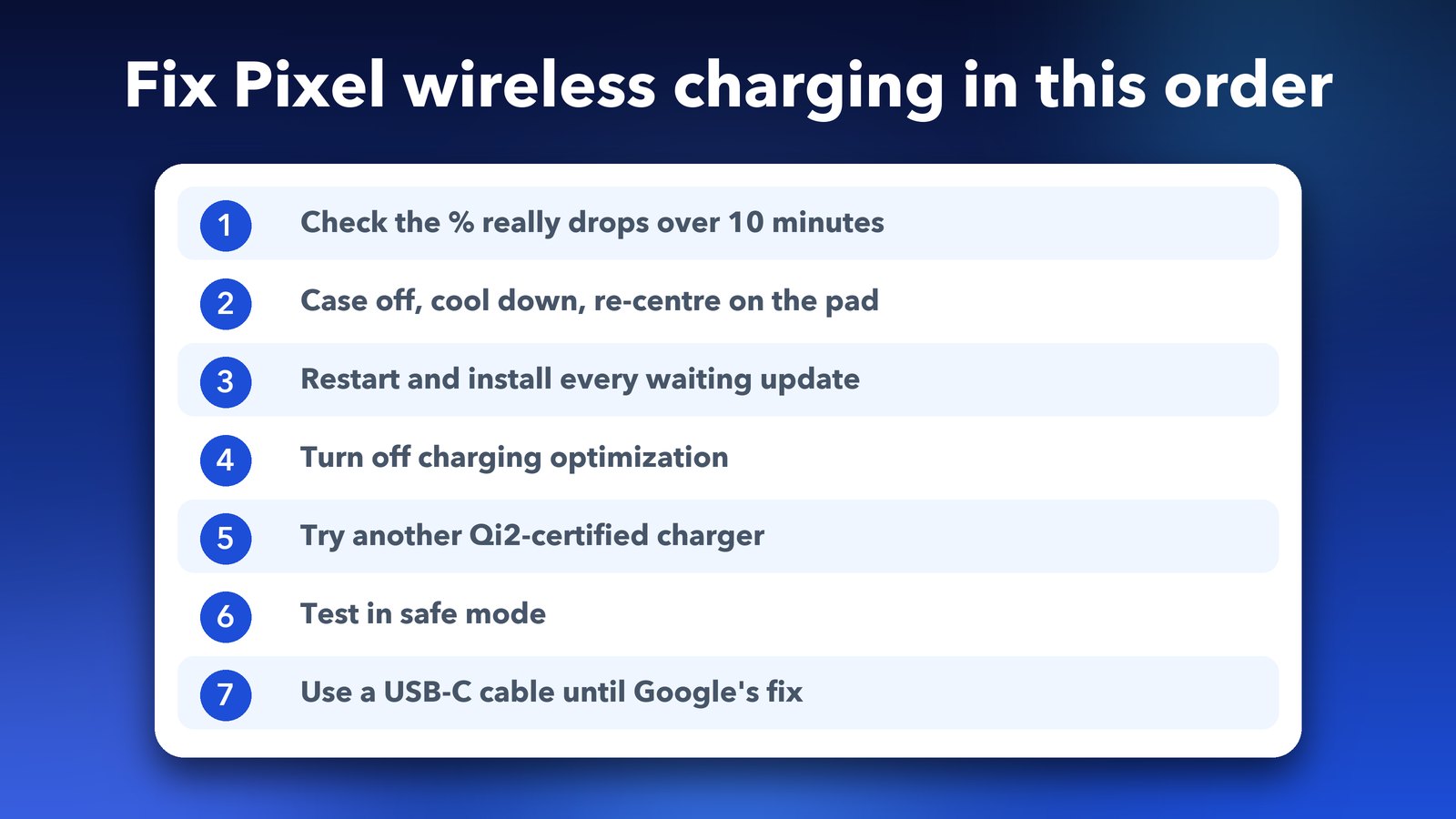
Step 5: Try a different charger
Before you blame the update, test with another charger and a different power adapter. Use the adapter that came with the charger or a good USB-C wall plug, not a laptop port.
Pixel models differ here. The Pixel 11 series and the Pixel 10 Pro XL support Pixelsnap, Google's magnetic Qi2 charging, at up to 25 watts. The Pixel 10, 10 Pro and 10 Pro Fold top out at 15 watts. Android Authority found the Pixel 10 series can charge on and off with older Qi pads and some power banks. If an old pad fails but a Qi2-certified one works, the pad is the problem, not the update.
Step 6: Test in safe mode
Safe mode starts your Pixel with all downloaded apps turned off. If wireless charging works in safe mode, an app is getting in the way. Battery savers, charging trackers and automation apps are the usual suspects.
- Press and hold the Power button and the Volume up button.
- Touch and hold Restart until you see the safe mode message, then tap OK.
- Put the phone on the charger and watch the percentage for 10 minutes.
- Restart normally to leave safe mode.
If it charges in safe mode, remove recently installed apps one at a time until the problem goes away.
Step 7: Switch to a cable until Google fixes it
If none of the steps above helps, it's most likely the update, and only Google can fix that properly. Until then, charge with a USB-C cable. Wired charging isn't affected in any of the reports, and it's faster anyway.
Also, don't leave a phone that's getting hot on a pad overnight. Heat is bad for the battery, and a warm phone that isn't charging is just wasting power.
Step 8: Report it to Google
More reports help Google find the bug faster. Add your details to the Pixel Help Community thread on wireless charging after the November update, or use the Send feedback option in your phone's Settings app. Mention your Pixel model, the build number, the charger brand and exactly what you see.
Step 9: Don't factory reset yet
It's tempting, but hold off. People on the German site Borncity said forced restarts and settings resets didn't help, and a factory reset hasn't fixed the related camera bug either. A reset wipes your phone and is unlikely to fix a bug in the update itself.
If your Pixel won't charge on a cable either, that's a different problem. Check the port for lint and try another cable before you book a repair. Our guide to Google Pixel problems after Android 17 covers other fixes, and if your phone feels slow too, see how to fix Pixel lag after the Android 17 QPR1 update.
My honest take
This looks like a real software bug, but it isn't hitting every Pixel, and the Pixel 10 Pro and Pro XL get most of the reports. So, rule out the easy stuff first. A case, a warm phone or charging optimization explain a lot of "broken" wireless charging. If your Qi2 charger still won't work after Step 6, a USB-C cable is the simple answer for now. Google often fixes bugs like this within a month or so, so watch for the December update.
Image credits: Pixel 10 Pro and Pixel 10 Pro XL and the Pixelsnap Charger with Stand: Google. Google logo via Wikimedia Commons. Charging icon and panels by Daily Techocracy.
Sources: Android Authority, Pixel wireless charging issues after the November update (12 November 2026); netzwelt.de and Borncity reports (13 November 2026); 9to5Google, Android 17 QPR2 November Pixel update (10 November 2026); Google Pixel Help, fix slow wireless charging; Google Pixel Help, charging optimization and safe mode; Google Pixel tech specs (Pixelsnap wattage).