How to run Ollama decision models
Hello Folks,
We at Daily Techocracy are back with some juicy info for all you kind readers....lets get to it !!
Most local AI models chat with you. Ollama now also lists a different kind, called decision models. They don't write essays. You give them a message and a question, and they give you a short answer with a percentage. That makes them handy for sorting emails, tickets and photos on your own computer.
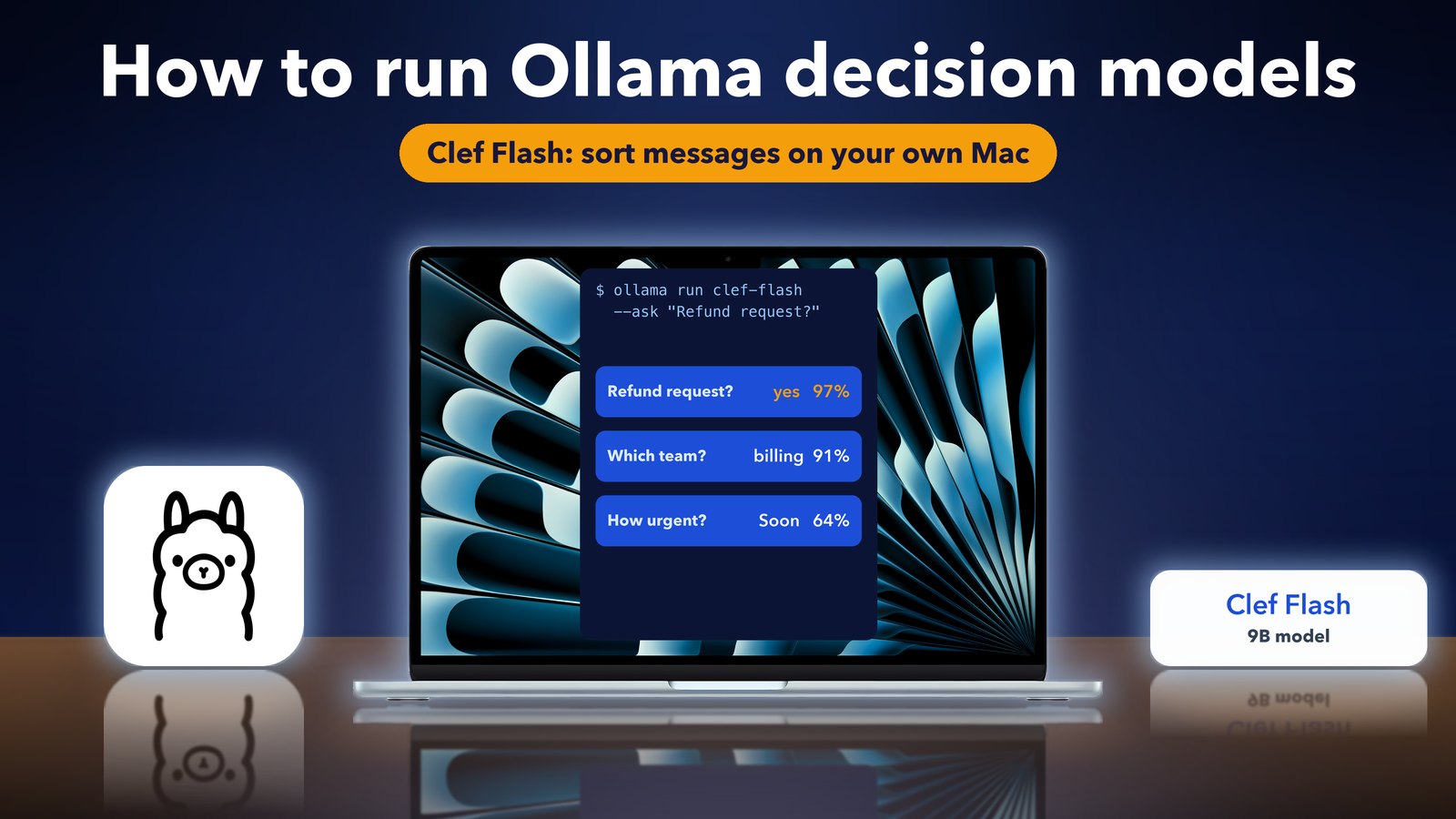
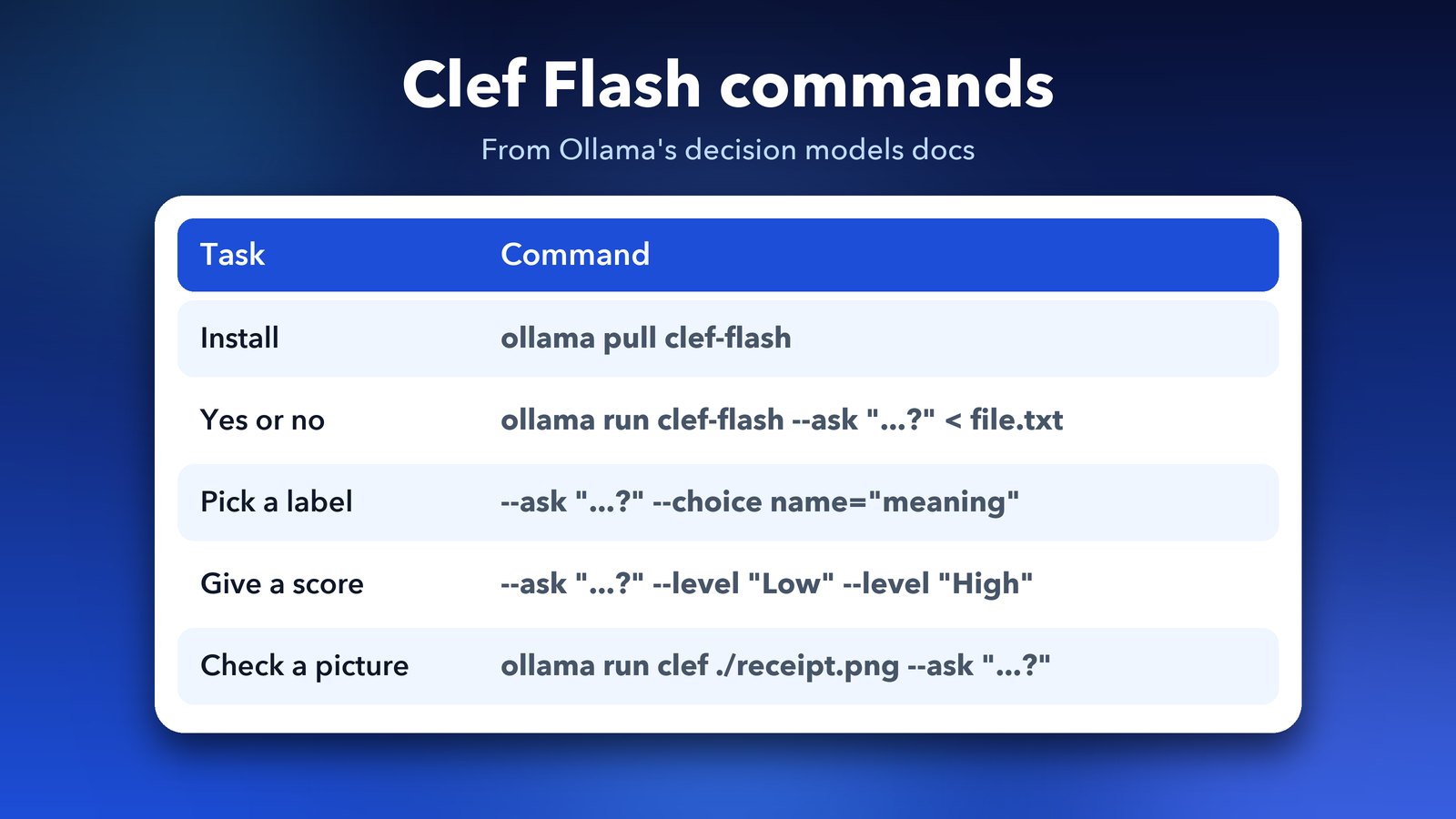
Quick answer: Update Ollama, run ollama pull clef-flash, then ask a question about any text with ollama run clef-flash --ask "Is this a refund request?" < message.txt. Clef Flash is a 9B model from Cloudflare, and the download is about 11 to 12GB.
What is an Ollama decision model?
A decision model reads some text and answers typed questions about it, such as yes or no, pick a label, or give a score. Ollama's docs say these models classify text, estimate yes or no chances and score text against ordered levels.
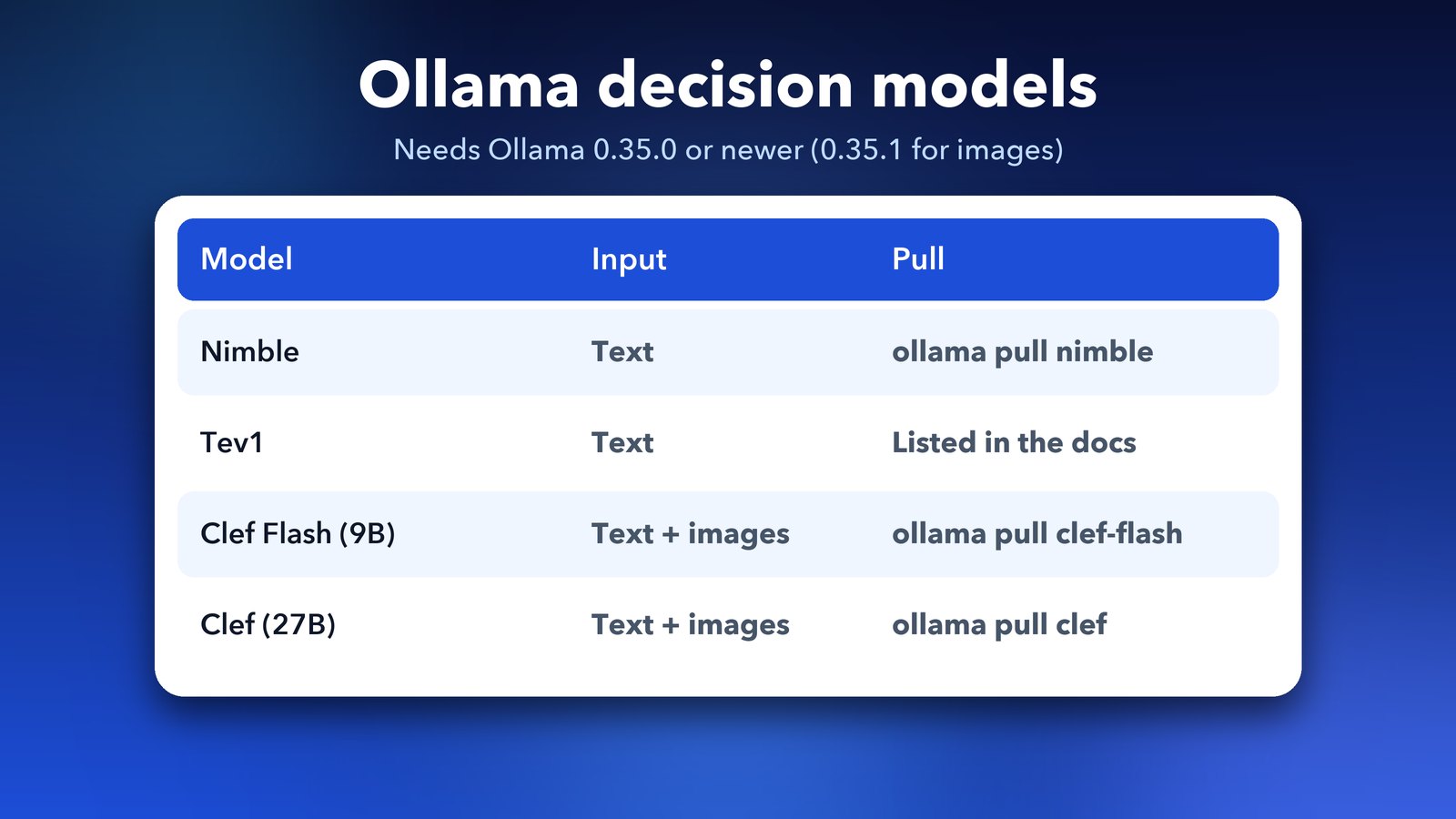
Ollama lists four of them: Nimble, Tev1, Clef and Clef Flash. Clef and Clef Flash can also judge images. Clef Flash is a 9B model from Cloudflare, made from Qwen3.5-9B, under the Apache 2.0 licence. Cloudflare's larger Clef has 27B parameters.
What do I need before I start?
You need a recent Ollama and enough free space and memory for the model. The docs say decision models need Ollama 0.35.0 or newer, and image checks with Clef need 0.35.1 or newer. The newest release at the time of writing is 0.40.5.
Clef Flash takes about 11 to 12GB on disk, so check your free space first. If you are short, our guide on freeing disk space after Ollama upgrades can help. I haven't tested it on every Mac, so a machine with 16GB of memory is the safer bet for a 9B model.
How do I install and run Clef Flash?
Pull the model with one command, then run it with a question. Here are the steps.
- Update Ollama to the latest version.
- Open Terminal and run
ollama pull clef-flash. - Save the text you want to check in a file, for example
ticket.txt. - Run
ollama run clef-flash --ask "Is a refund being requested?" < ticket.txt.
The answer comes back on one line, like yes 97%. Without extra flags, every question is a yes or no question.
How do I pick a label or give a score?
Add --choice to pick between labels, or --level to score on steps from low to high. Each flag follows the --ask it belongs to.
To sort a message by team, you can run this:
ollama run clef-flash --ask "Which team should handle this?" --choice billing="Payments and refunds" --choice technical="Software problems" < ticket.txt
To rate how urgent it is, use levels:
ollama run clef-flash --ask "How urgent is this?" --level "Routine" --level "Soon" --level "Immediate" < ticket.txt
You can put several --ask questions in one command, and the model answers them together. The docs show output with one line per answer, each with a percentage.
Can Clef Flash look at pictures?
Yes. Clef and Clef Flash accept images, so you can pass a file path. The docs give this example: ollama run clef ./receipt.png --ask "Is this a restaurant receipt?". Only the Clef models take images. Nimble and Tev1 are text only.
Is the percentage a promise that the answer is right?
No. Ollama's docs say the confidence number only shows how strongly the model prefers one answer, and it does not guarantee that the answer is correct. Results can also change between runs and settings.
So use these models to sort a pile of messages, then spot-check some. Don't let them make decisions about money, health or safety on their own.
Can I use it from code?
Yes. Ollama's server has an endpoint at /v1/systemone that takes a state and a set of questions as JSON. The docs also describe a cloud option: with Ollama 0.40.5 or newer, you can use clef:cloud through your signed-in local server. Cloud use is billed, so read the official decision models page before you try it.
What changed in the latest Ollama releases?
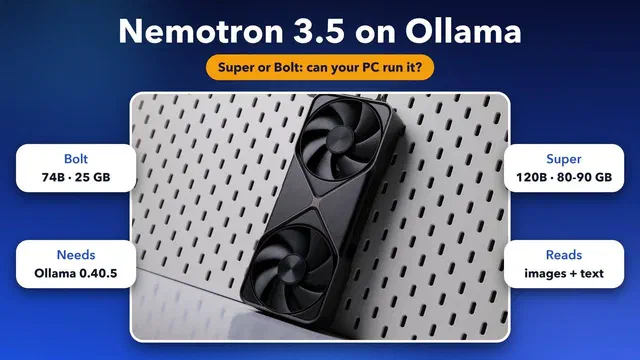
Ollama 0.40.5, released on 14 October, lets Clef and Clef Flash run through Ollama's cloud without a local pull. It also updated llama.cpp to add Nemotron 3.5 support. You can see the full notes on the Ollama releases page. If you run Nemotron, read our guide on whether your PC can run Nemotron 3.5.
Some write-ups say the --ask flag arrived in 0.40.4, while the docs say 0.35.0 or newer. I couldn't settle this, so just update to the latest version and you are covered.
Decision models are a small but useful idea: a local helper that sorts your mess and keeps your data on your own computer.
Image credits: MacBook Air M4 render from Wikimedia Commons (CC BY-SA 4.0) with illustrated screen. Ollama logo from Wikimedia Commons (MIT licence). Other graphics by Daily Techocracy.