Nemotron 3.5 on Ollama: can your PC run Super or Bolt?
Hello Folks,
We at Daily Techocracy are back with some juicy info for all you kind readers....lets get to it !!
Ollama, the free app for running AI models on your own computer, just added two big models from NVIDIA. They're called Nemotron 3.5 Super and Nemotron 3.5 Bolt. Both can read pictures as well as text, and both are built for coding and agent-style work. The catch is size. One needs a monster machine, and the other can fit on a good gaming graphics card. Here's what each one is and who can actually run it.
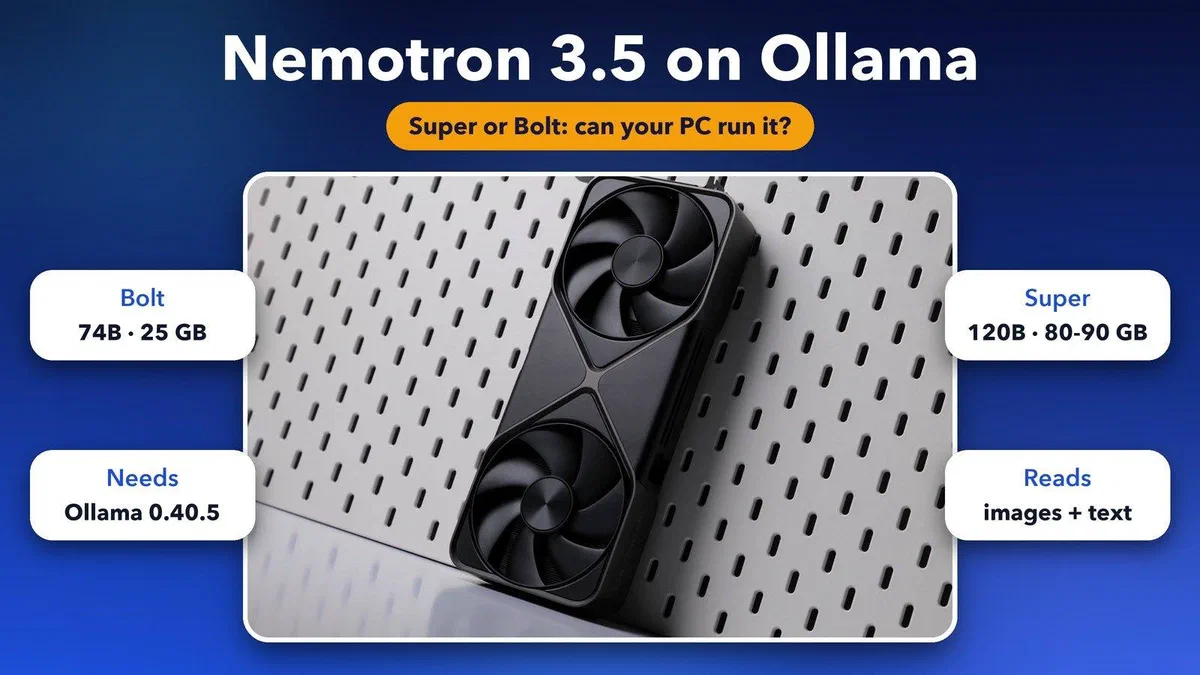
Quick answer: Nemotron 3.5 arrived in Ollama 0.40.5 on 14 October 2026. Super is a 120-billion-parameter model with an 80 to 90 GB download, so it needs a workstation-class machine. Bolt is a 74-billion-parameter model with a 25 GB download, and NVIDIA tuned it to fit a 24 GB NVIDIA graphics card. Update Ollama, then run ollama run nemotron-3.5-bolt to try it.
What is Nemotron 3.5 in Ollama?
Nemotron is NVIDIA's family of open AI models. The 3.5 versions that landed in Ollama are "vision-language" models, which means you can show them a screenshot or a document and ask questions about it. They also support tool calling, so they can work with coding tools, and they have a thinking mode you can switch on or off.
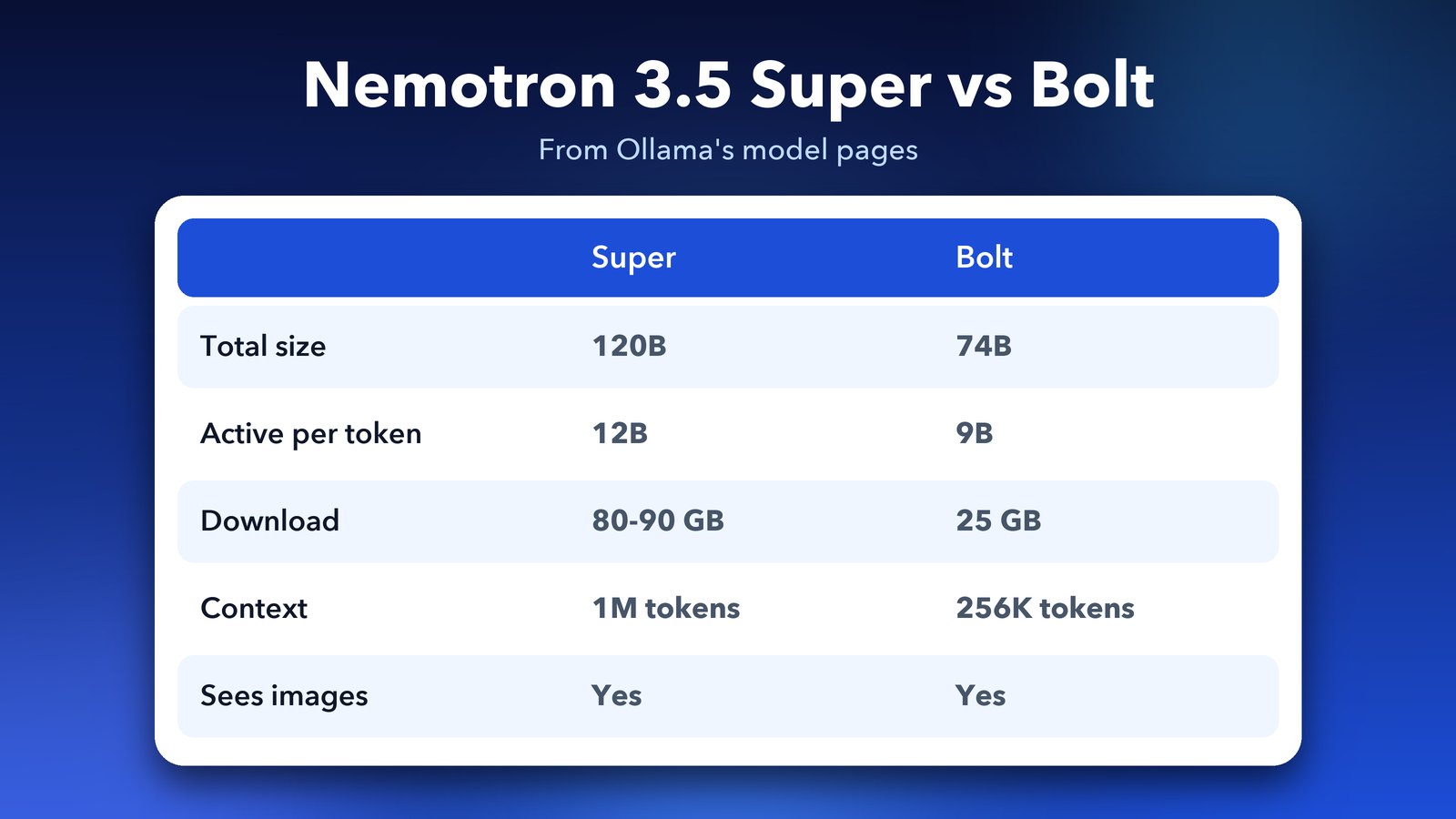
Under the hood they mix two designs, Mamba-2 and Transformer, and use a "mixture of experts" layout. In plain words, the model is huge, but only a small part of it wakes up for each word it writes. That keeps it faster than its size suggests. Ollama's release notes describe it exactly this way, with 12 billion active parameters for Super and 9 billion for Bolt.
Nemotron 3.5 Super: the big one
Super has 120 billion parameters in total, with 12 billion active at a time. Ollama lists it with a download of 80 to 90 GB and a context window of up to 1 million tokens. A token is roughly a short word or a piece of one, so that's a very long conversation or a large codebase in one go.
The practical meaning is simple. The file alone is bigger than the memory in nearly every home computer. You need to hold the whole model in memory, plus extra room for the long context you ask it to remember. Ollama's page gives no minimum hardware, only the size, so treat 90 GB as the floor for memory, not a comfortable target. For most of us, this is a model to read about rather than run.
Nemotron 3.5 Bolt: the one you might run
Bolt is the compact sibling. It has 74 billion parameters with 9 billion active, a 256K context window and a 25 GB download. Ollama's release notes say NVIDIA tuned it to fit a 24 GB NVIDIA graphics card for everyday agent tasks, and it comes with a small "drafter" model that helps it write faster through speculative decoding. That is a trick where a tiny model guesses ahead and the big one checks the guesses.
Ollama lists two Bolt versions, 74b-a9b and 74b-a9b-iq2. Both show a 25 GB download on the page. The second name points to a more squeezed (more heavily compressed) version, but the page doesn't explain the difference, so start with the default.
One warning matters for Mac owners. Ollama's Bolt page says Apple Silicon and Metal aren't currently supported. If you have a MacBook or Mac mini, Bolt isn't ready for you yet, and the Super page gives no Apple guidance either. We'll keep watching for that to change.
Can my computer run Nemotron 3.5?
Use the download size as your starting point. The model has to fit in your graphics card memory (VRAM) or your normal memory, and Ollama can spread a model across both. The more it spills into normal memory, the slower it gets.
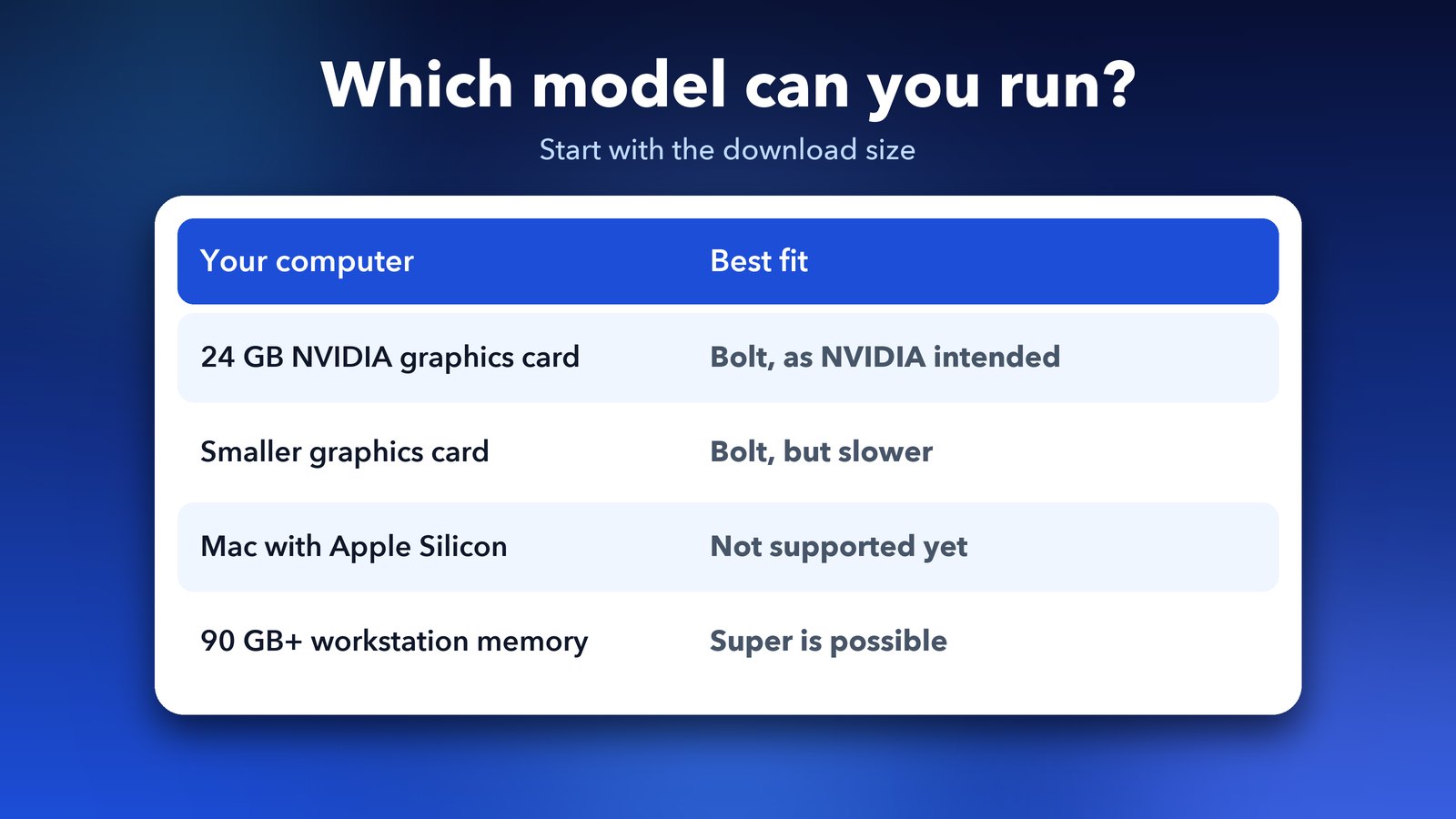
- PC with a 24 GB NVIDIA graphics card: Bolt is the target. This is the setup NVIDIA aimed for.
- PC with a smaller graphics card: Bolt may still load, but part of it will sit in normal memory and it will be slower. Expect to wait.
- Mac with Apple Silicon: Bolt isn't supported yet according to Ollama. Try another model for now.
- Workstation or server with 90 GB or more of memory: Super is possible here.
Free disk space matters too. Super alone can take up to 90 GB. If you've been running Ollama for a while, our guide on how to free disk space after Ollama 0.40.2 upgrades models shows how to get some back first.
How to run Nemotron 3.5 in Ollama
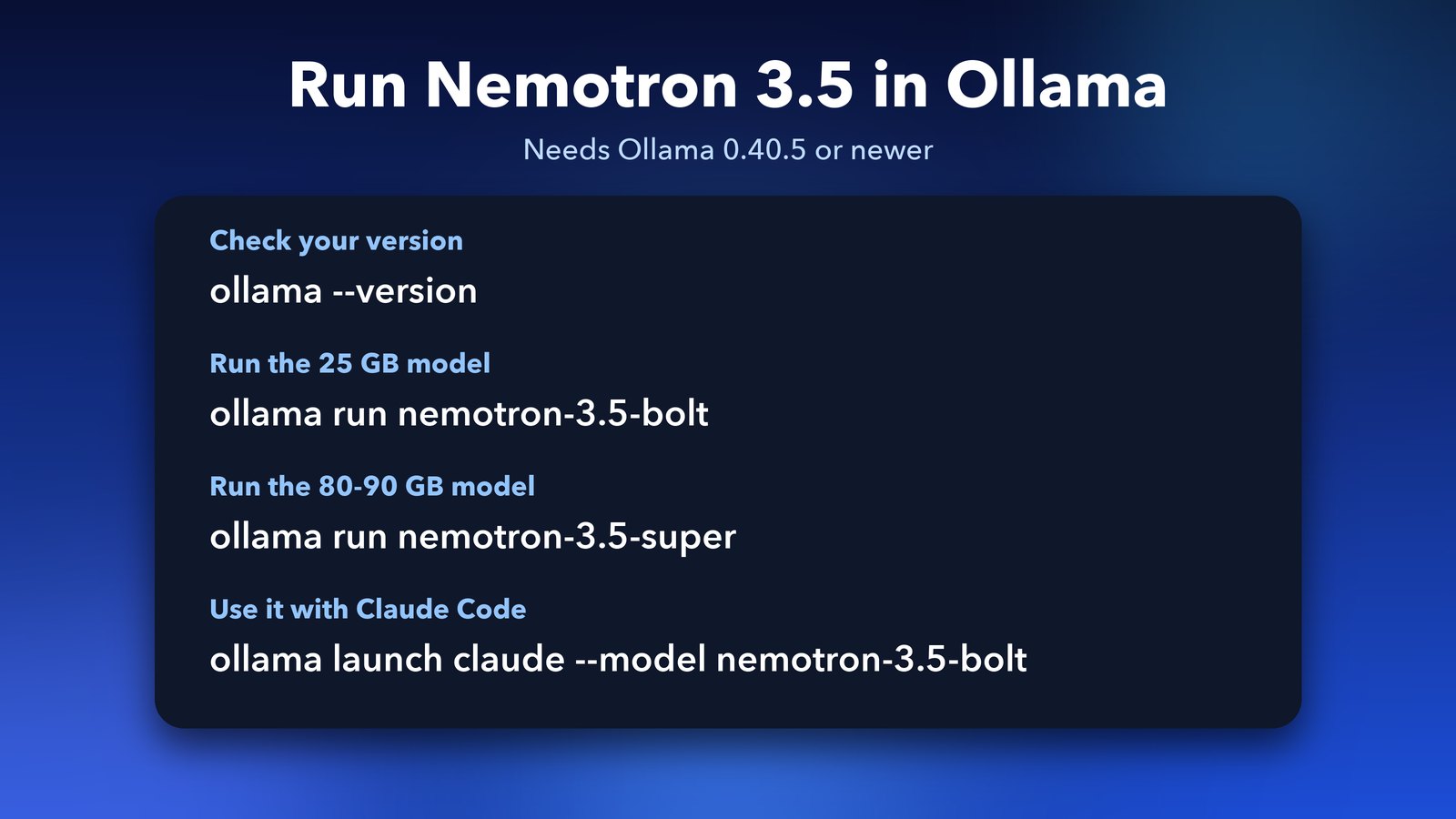
First, make sure you're on Ollama 0.40.5 or newer. This release updated the engine underneath, llama.cpp, to add Nemotron 3.5 support, so older versions won't work. Check your version in Terminal or Command Prompt:
ollama --versionIf it's older, update the Ollama app, then run the model you want:
ollama run nemotron-3.5-boltollama run nemotron-3.5-superThe first run downloads the model, so it can take a long time on slow internet. You can also use Nemotron with coding tools through Ollama's launcher. For example, ollama launch claude --model nemotron-3.5-bolt starts Claude Code on the local model, and the model pages list the same for OpenCode, Hermes and OpenClaw. If that sounds useful, our GitHub Copilot CLI with Ollama guide shows a similar setup.
What else is in Ollama 0.40.5?
The same release has a few smaller changes. Decision models can now run in the cloud through clef:cloud and clef-flash:cloud, so you don't have to download them. Continuing a conversation through the OpenAI-compatible Responses API with custom tool calls no longer fails. Error messages for cloud sign-in and payment problems are also clearer. Ollama's official release notes list everything.
Is there a smaller Nemotron 3.5?
Yes. NVIDIA announced Nemotron 3.5 Lightning on 11 August 2026. It has 30 billion parameters with about 3 billion active and a 1 million token context, but it doesn't read images. It's the lighter choice if Bolt is too big. We haven't confirmed that it's in Ollama's library, so check Ollama's Nemotron pages before you plan around it.
Should you try it?
If you own a 24 GB NVIDIA card, yes. Bolt is a rare chance to run a big, image-reading coding model at home. Everyone else can wait for smaller versions, or stick with the models you already use. Local AI is moving fast right now, and Ollama has shipped a new version almost every other day this month. For the full story of that run, read Ollama 0.40.4: what's new and should you update?
Image credits: Featured image uses an NVIDIA GeForce RTX 5090 Founders Edition frame by ZMASLO (Wikimedia Commons, CC BY 3.0). Other graphics by Daily Techocracy.