Google Nano Banana 2.1: what's new and how to use it
Hello Folks,
We at Daily Techocracy are back with some juicy info for all you kind readers....lets get to it !!
Google has a new version of its popular AI image maker. Nano Banana 2.1 arrived on 6 October, and it's built to make better-looking pictures, edit photos more precisely and keep the same face or character looking right across many images. There's one thing most people will want to know first. In the Gemini app, the new model is for paid Google AI plans, while free users stay on Nano Banana 2 for now. Here's what changed and how you can try it.
Quick answer: Nano Banana 2.1 is Google's newest AI model for making and editing images. It improves picture quality, text inside images, infographics, edits to one part of a photo and keeping people looking the same. It's rolling out in the Gemini app for Google AI plan subscribers, in AI Mode in Search, and for developers, where it costs about half as much per image as before.
What is Nano Banana 2.1?
Nano Banana 2.1 is the latest version of Google's AI model for creating and editing pictures. "Nano Banana" is the fun nickname Google uses for the image tools inside Gemini, and the name stuck after the first version went viral last year.
Version 2.1 is an update to Nano Banana 2. It keeps the speed and low cost of that model but improves the results. Google describes it as its latest fast image model, with better visual quality, better prompt following, steadier characters across a conversation and sharper text. If you want something even more powerful, Google still offers Nano Banana Pro on paid plans.
What's new in Nano Banana 2.1?
The big upgrades are better design, more precise editing and more consistent people and objects. Here's what that means in practice.
- Better-looking pictures: layouts, posters and product shots come out more polished, at 1K, 2K or 4K resolution.
- Edit just one part of a photo: mask-based editing lets you mark an area, such as a sky or a shirt, and change only that part. The rest of the picture stays the same.
- Faces stay the same: it keeps up to four characters looking consistent, plus up to ten objects. You can give it up to 14 reference images to work from.
- Clearer text and infographics: words inside images are easier to read, and charts and diagrams are more accurate.
- Wide images that work: Google fixed the repeating "tile" patterns that spoiled very wide panoramic pictures at 2K and 4K.
- Real-world facts: it can use Google Search to check details, which helps with maps, infographics and real places.
Is Nano Banana 2.1 better than Nano Banana 2?
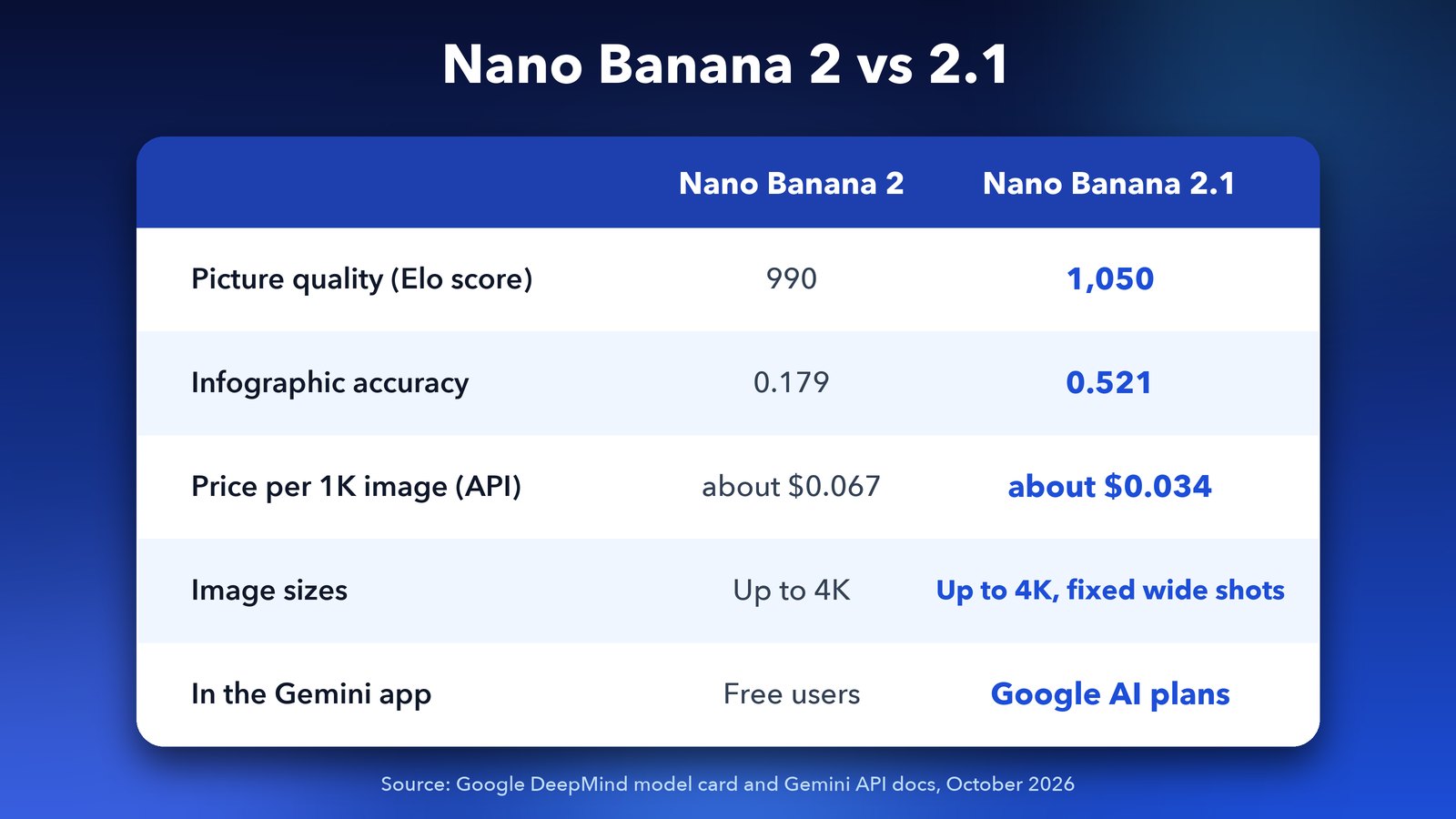
Yes, by a clear margin in Google's own tests. On the Nano Banana 2.1 model card, people preferred its pictures more often, giving it an Elo score of 1,050 against 990 for the older model. An Elo score is a ranking built from head-to-head votes, so a higher number means people picked it more.
The jump is biggest for infographics. Their accuracy score rose from 0.179 to 0.521, almost three times better. That matters if you use AI to make charts, slides or explainers, where one wrong number ruins the whole image.
It still has weak spots. Google admits that small text can still look blurry at 1K, and long paragraphs inside an image still trip it up. My advice is to keep words in your images short, or ask for 2K when text matters.
Is Nano Banana 2.1 free?
Not in the Gemini app, at least for now. Google's Gemini image page says Nano Banana 2.1 needs a Google AI plan. Free users still get Nano Banana 2, which shares most of the same core features, such as character consistency, text in images and photo editing.
Paid plans also give you higher image limits. Images made in Gemini can carry a visible watermark, and every one includes SynthID, Google's invisible tag that marks a picture as AI-made. Google also adds C2PA Content Credentials, a standard label that records where an image came from.
How to use Nano Banana 2.1 in the Gemini app
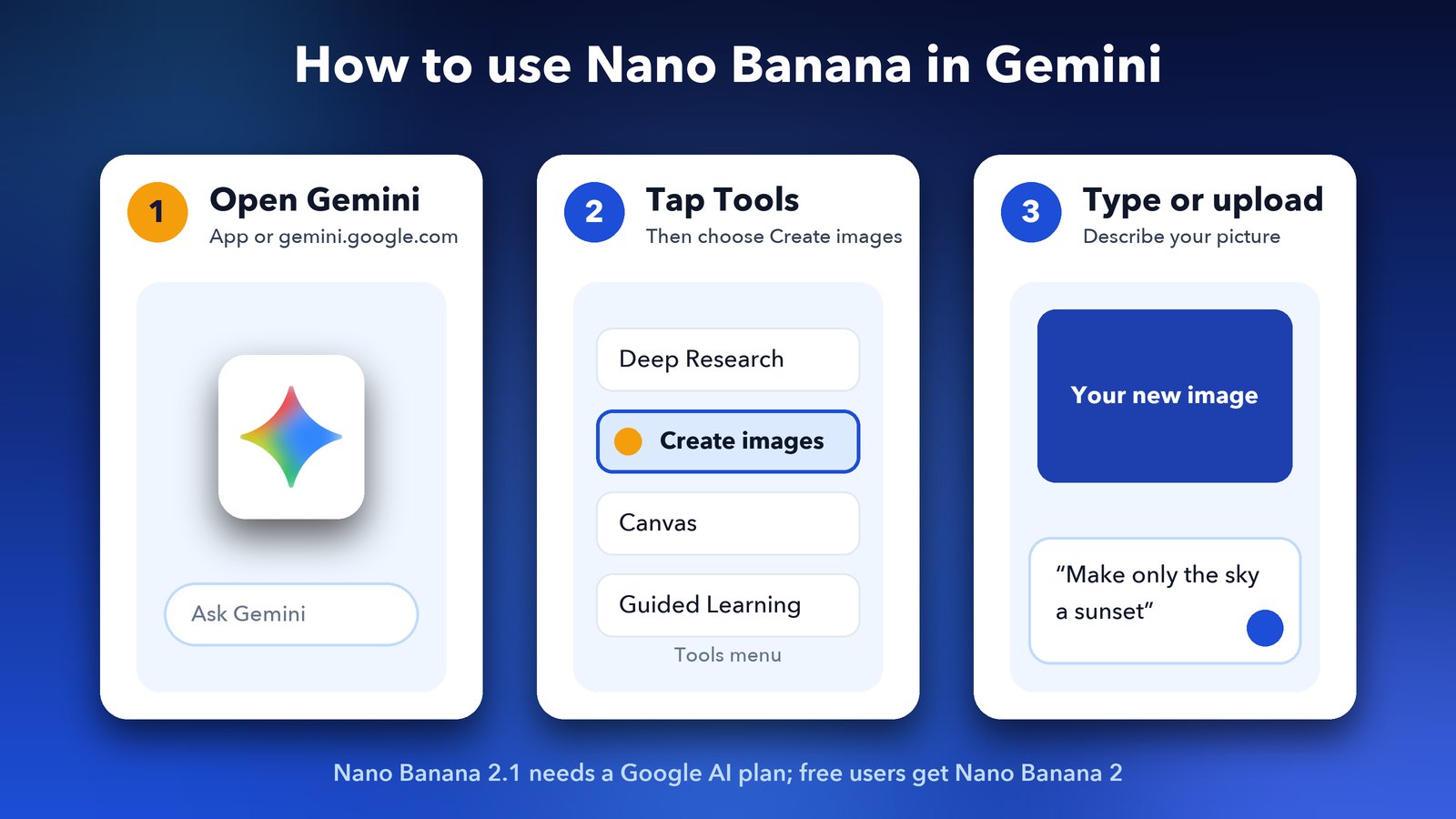
Using it takes less than a minute if you're on a Google AI plan. The steps are the same on the web and in the phone app.
- Open the Gemini app or go to gemini.google.com and sign in.
- Tap Tools and choose Create images (it has a banana icon).
- Type what you want, or upload a photo and describe the change.
- To change just one area, describe that area clearly, for example "make only the sky a sunset".
- Keep chatting to adjust the result. The model remembers the picture you're working on.
On a paid plan, you can also open the three-dot menu on an image and choose Redo with Pro to try the more powerful Nano Banana Pro on the same request.
Where else can you use Nano Banana 2.1?
Beyond the Gemini app, Nano Banana 2.1 is rolling out in AI Mode in Google Search. It's also coming to Google's creative and business tools: Flow for video, Stitch for app design, Google Ads and Gemini Enterprise.
Developers can use it today in Google AI Studio and the Gemini API. The price has dropped by half. A 1K image now costs about $0.034 and a 4K image about $0.076, and batch jobs cost half of that again. For anyone making lots of images, such as an online shop with thousands of product photos, that's a real saving.
Should you upgrade for Nano Banana 2.1?
Only if you make images often. For the odd birthday card or profile picture, the free Nano Banana 2 is still very good. If you make posters, social posts, product shots or infographics every week, the better text, editing and character consistency in 2.1 will save you a lot of retries.
Google has been moving fast this autumn. If you're keeping track, read our explainer on Gemini 4 Argon and when you can use it, and our post on NotebookLM becoming Gemini Notebook. We'll tell you as soon as Nano Banana 2.1 reaches free users.
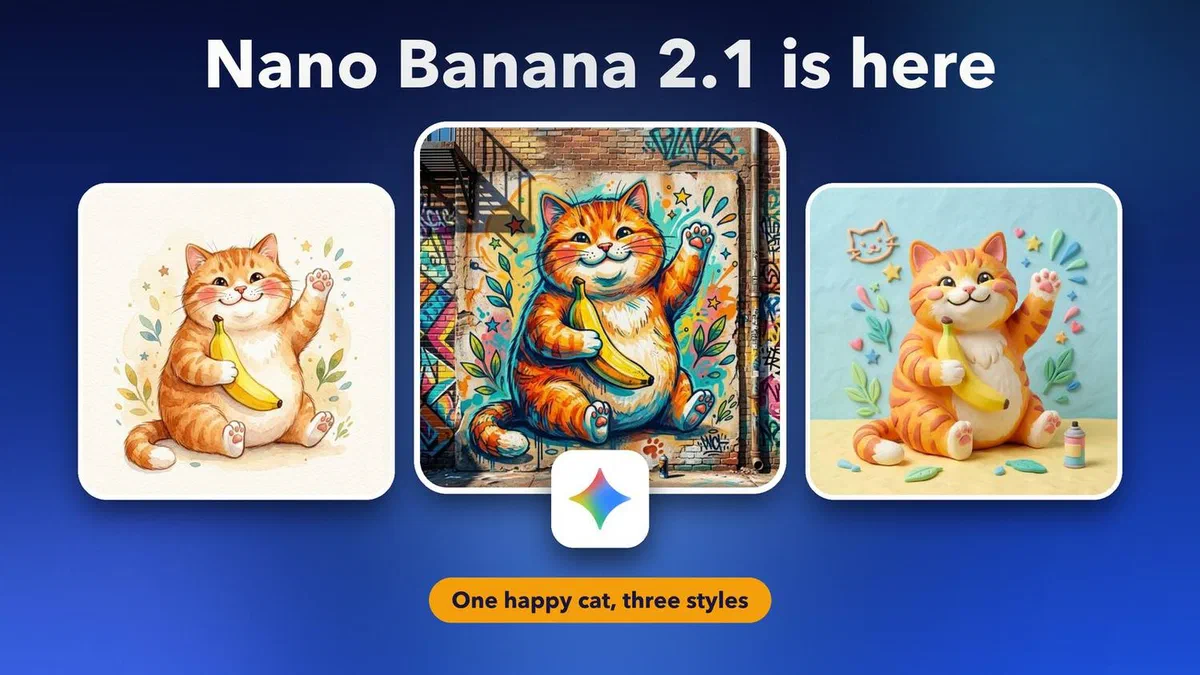
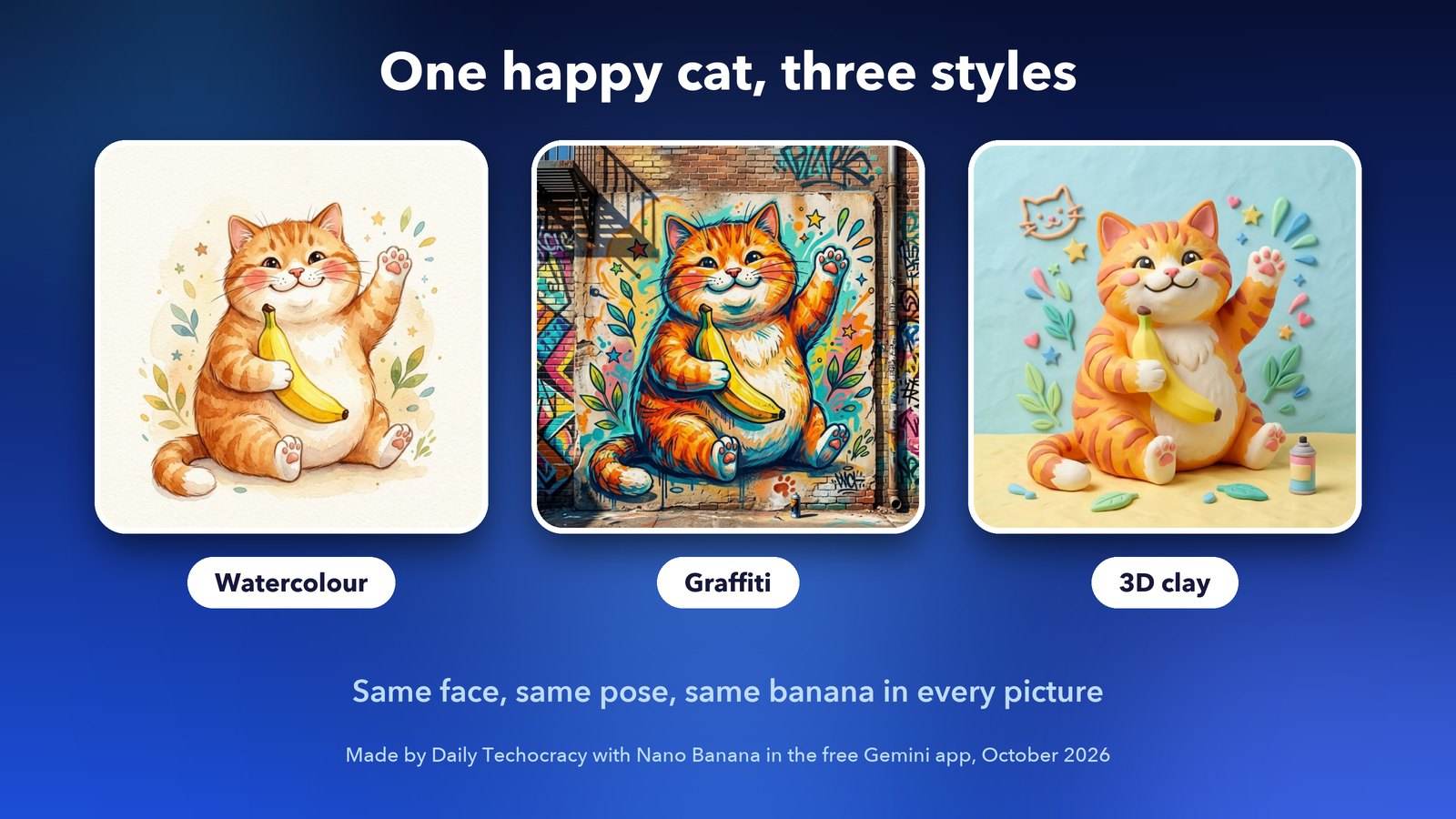
Image credits: ginger cat images made by Daily Techocracy with Nano Banana in the Gemini app. Gemini icon: Google LLC, via Wikimedia Commons (public domain).