GPT-6 is in ChatGPT: what's new and how to try it
Hello Folks,
We at Daily Techocracy are back with some juicy info for all you kind readers....lets get to it !!
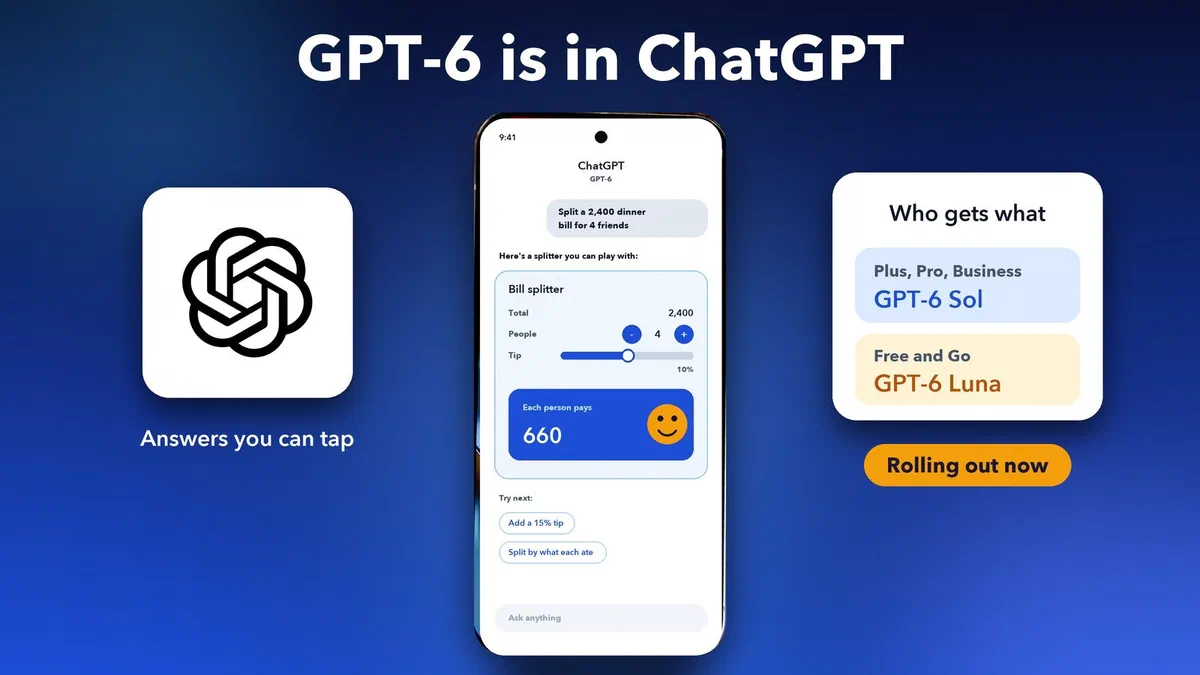
ChatGPT just got its biggest change in a long time. On 7 October 2026, OpenAI started rolling out GPT-6, and this time the answers don't only look like text. Ask ChatGPT to split a dinner bill, and it can hand you a little calculator you can tap. Ask it to compare two phones, and you may get the options laid out side by side. Here's what's new, who gets which version and how to try it yourself.
Quick answer: GPT-6 is OpenAI's new model in ChatGPT, rolling out from 7 October 2026. Plus, Pro, Business and Enterprise users get GPT-6 Sol, and Free and Go users get GPT-6 Luna from 8 October. Its headline feature is Intelligent UI, which lets ChatGPT answer with charts, diagrams, buttons and small tools you can use right in the chat.
What is GPT-6 in ChatGPT?
GPT-6 is the new default model in ChatGPT's Chat tab. It replaces GPT-5.6 for everyday chats, and OpenAI says it brings faster thinking, sharper web search and a new way of showing answers.
It comes in two versions. GPT-6 Sol is the bigger one for paid plans. GPT-6 Luna is a lighter version for the free tiers. Both can use the new visual answers. OpenAI announced it in a post called GPT-6 for everyone, and says the rollout is gradual, so it may reach your account a little later than others.
If you followed our post on GPT-5.6 and its Sol, Terra and Luna models, the names will feel familiar. OpenAI kept the same naming idea for GPT-6.
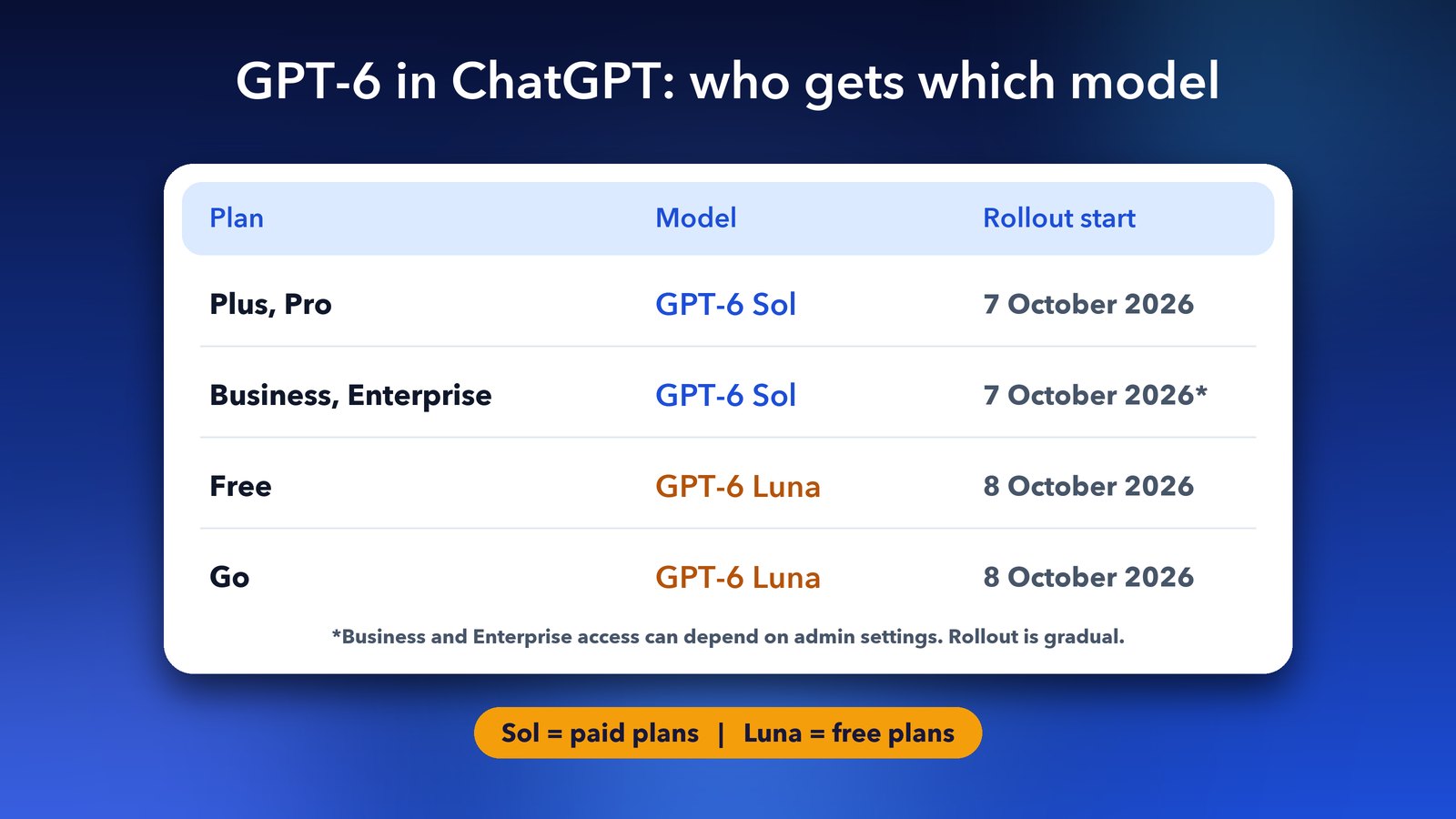
In short, Plus, Pro, Business and Enterprise get GPT-6 Sol from 7 October 2026, and Free and Go users get GPT-6 Luna from 8 October 2026.
What is Intelligent UI?
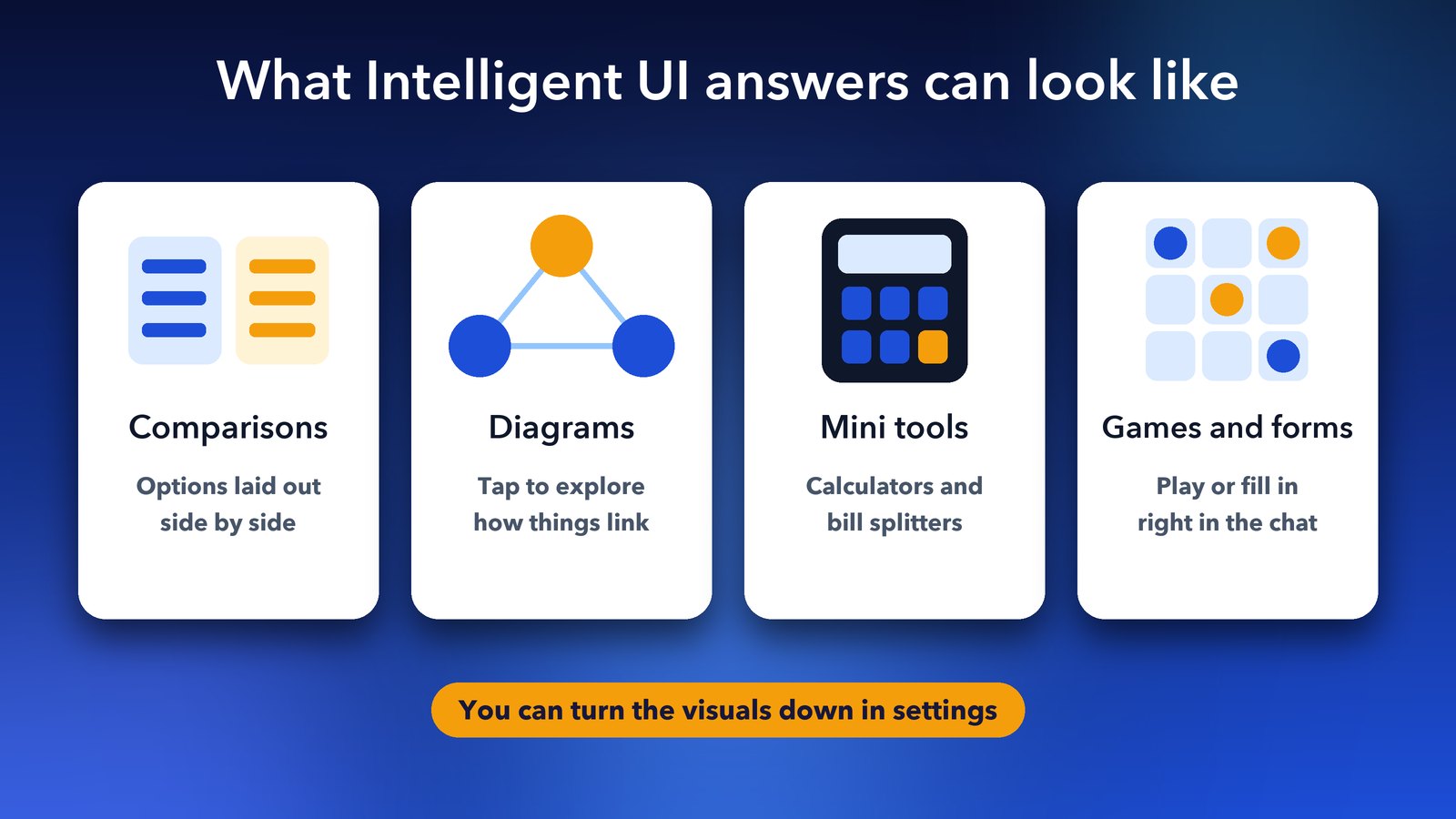
Intelligent UI means ChatGPT picks the best format for each answer. Instead of a wall of text, it can mix words with charts, diagrams, buttons, forms and small tools you can use without leaving the chat.
The format depends on what you ask. A comparison may show up side by side. An explanation may come as a diagram you can tap through. A money question might come with a calculator or a bill splitter. OpenAI also showed small games built right inside an answer.
I like this change for one simple reason. A lot of everyday questions are really asking for a tool, not an essay. If I want to know what each friend owes after dinner, a slider and a total are far more useful than three paragraphs.
What else is new in GPT-6?
GPT-6 also answers faster and can start replying before it has finished thinking. You can begin reading while it keeps working, and it adds what it finds without you asking again.
- Faster search answers: OpenAI says GPT-6 Instant starts answering web search questions 44% faster on average than GPT-5.6 Instant.
- Answers that grow: ChatGPT can begin replying while it still uses tools in the background, then fill in more detail.
- Older model still there: Reports say paid users can still pick GPT-5.6 Sol from the model picker if they want to compare answers.
The change only applies to the Chat tab for now. The models used in ChatGPT's Work and Codex areas stay the same.
How do you get GPT-6 in ChatGPT?
You don't need to sign up for anything. GPT-6 arrives in your account automatically, but you need an up-to-date app to see the new visual answers.
- Update the ChatGPT app on your phone, or open ChatGPT in your web browser. Older versions of the desktop app don't show Intelligent UI yet.
- Open a new chat in the Chat tab. GPT-6 is now the default model there.
- Ask something that suits a visual answer, such as "Compare the iPhone 17 and Pixel 10", "Plan a three-day trip to Goa" or "Split a 2,400 bill between four friends with a 10% tip".
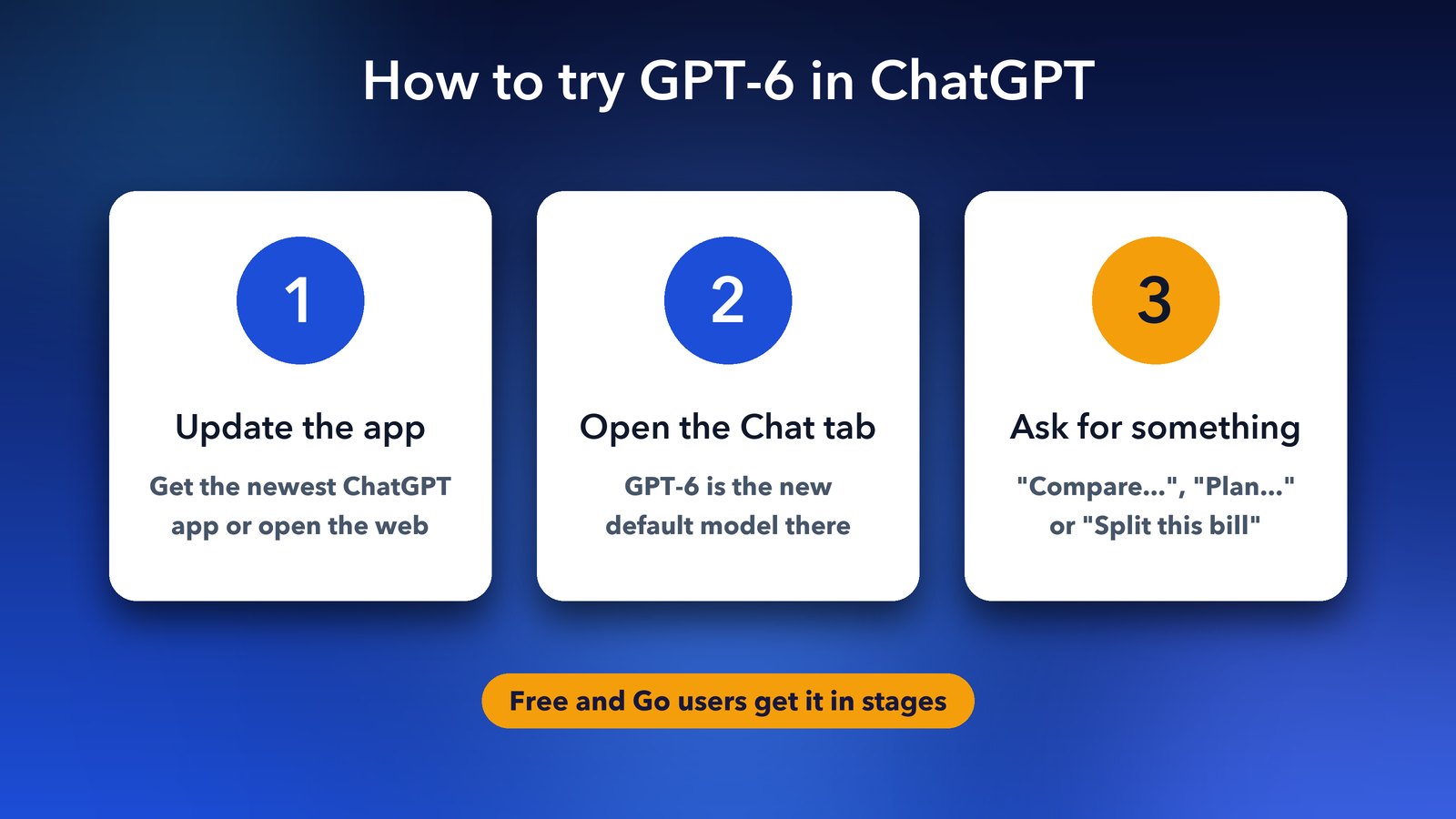
Don't see anything new yet? That's normal during a staged rollout, especially on free accounts. Check again in a day or two. Business and Enterprise users may also have to wait for their company admin to switch it on.
Can you turn off the visual answers?
Yes. If you prefer plain text, ChatGPT's settings let you cut down the visual material in your answers. That's handy if you mostly use ChatGPT for writing and don't want buttons and charts getting in the way.
Is GPT-6 free to use?
Yes, free users get GPT-6 too, in the lighter GPT-6 Luna version. Paid plans get GPT-6 Sol, which is the stronger model, along with higher usage limits.
For most people, the free version is a great way to try Intelligent UI. If you already pay for Plus, you get the bigger model straight away. Either way, it's a good moment to tidy up your chats. Our guide to using ChatGPT Projects shows how.
What GPT-6 means for regular users
GPT-6 makes ChatGPT feel less like a chatbot and more like an app that builds the right tool for each question. For everyday jobs like budgets, trip plans and comparisons, that saves real time.
It won't be perfect on day one, and some answers will still be plain text. But the direction is clear. Answers are becoming things you use, not just things you read. Give it a try with your next everyday question, and see what ChatGPT builds for you.
Image credits: Featured image uses a Google Pixel 9 Pro XL photo by D.328 (Wikimedia Commons, CC BY-SA 4.0) with an illustrated ChatGPT screen, and the ChatGPT logo (Wikimedia Commons, public domain). Other graphics by Daily Techocracy.